Farmer’s Diary
Game Design · Systems, Narrative & World Design · MYM Games · 2025–2026
Project Overview
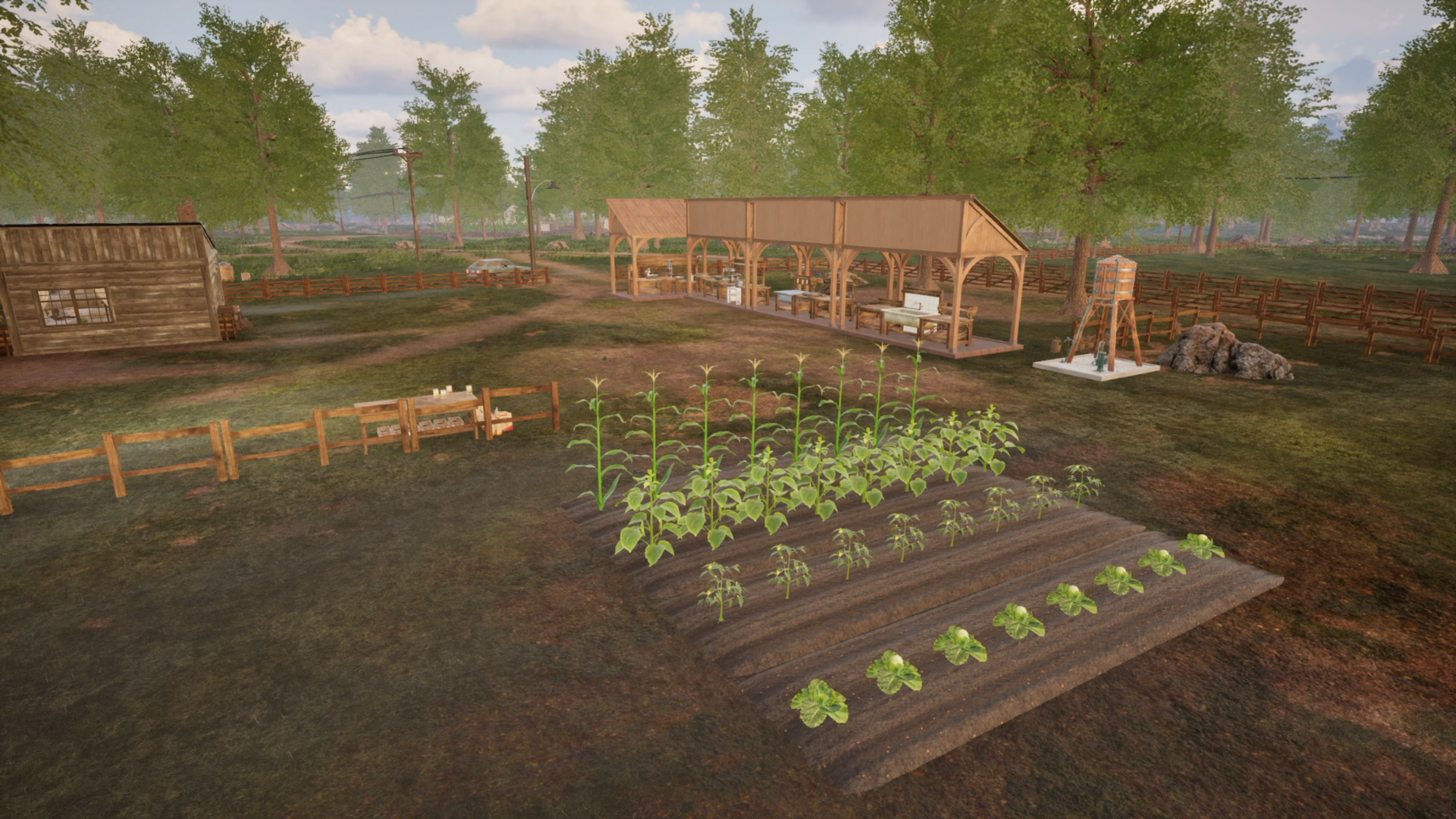
Farmer’s Diary is a first-person, open-world farming and production simulation set in a rural North American town inspired by the late 1990s and early 2000s. After inheriting a run-down ranch from their father, players work to restore it and gradually build a thriving agricultural business.
The core experience combines crop cultivation, processing, and recipe-based production. Players harvest and package produce, operate production stations through hands-on mini-games, fulfill orders, supply local businesses, and reinvest earnings into their ranch. The game supports both solo and cooperative play.
My Role
I served as the sole game designer for much of the project’s development before taking on lead design responsibilities. My work continued through Early Access development and release preparation. I designed and documented interconnected gameplay systems, including farming, crafting and production, NPC orders, quests, progression, and the in-game economy.
I also developed narrative and character content, including NPC identities, dialogue, and voice-over scripts, and created interaction flows and UI/UX wireframes. My broader responsibilities included world and spatial design, UX review, QA, asset briefs, art and environment feedback, and coordination with in-house and external contributors.
GDD Structure
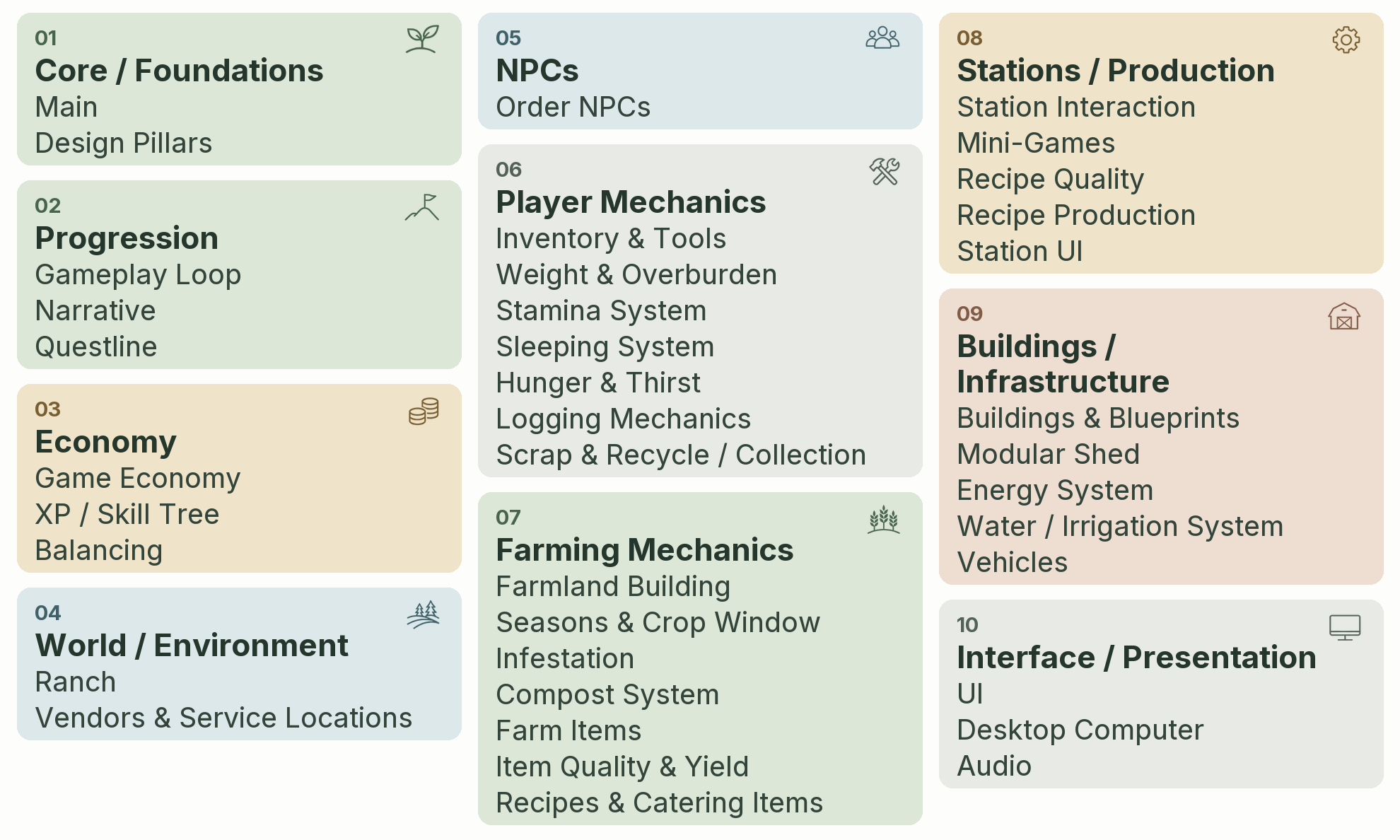
An overview of the main Game Design Document (GDD), which I structured and maintained throughout development. This document was part of a broader design workflow supported by UI wireframes, balancing spreadsheets, and other production documentation.
Core Gameplay Loop
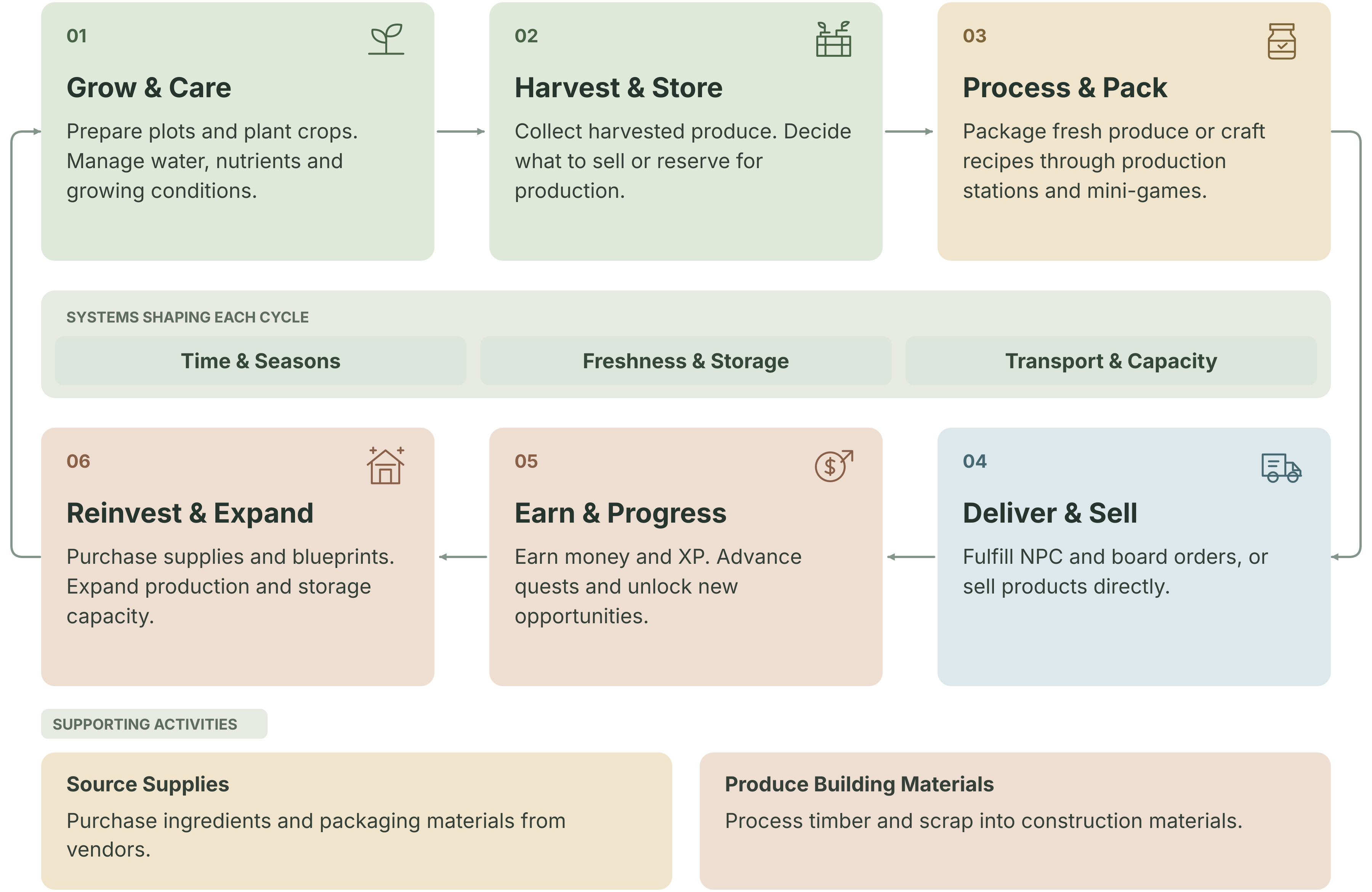
The core cycle of cultivation, production, sales and reinvestment, supported by resource management and progression systems.
Production, Resources & Construction
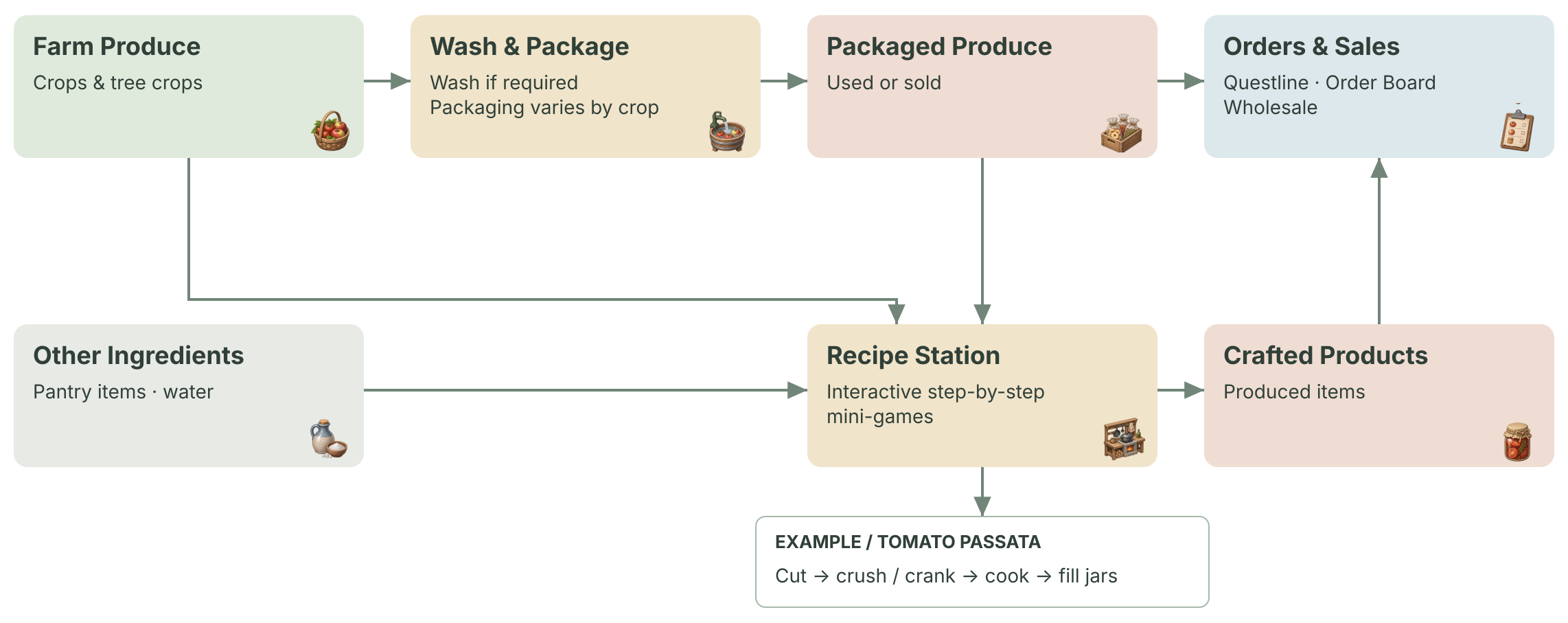
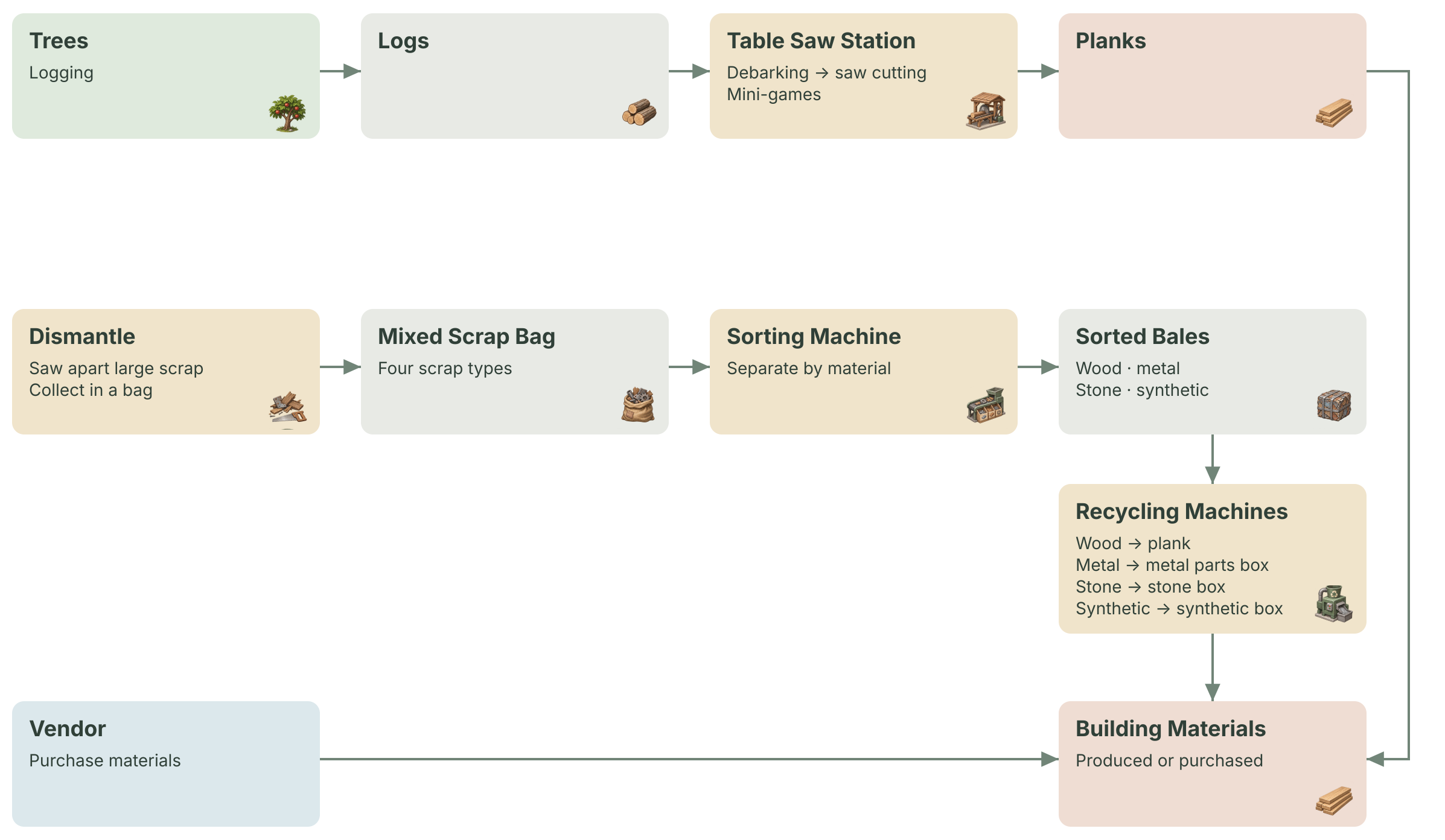
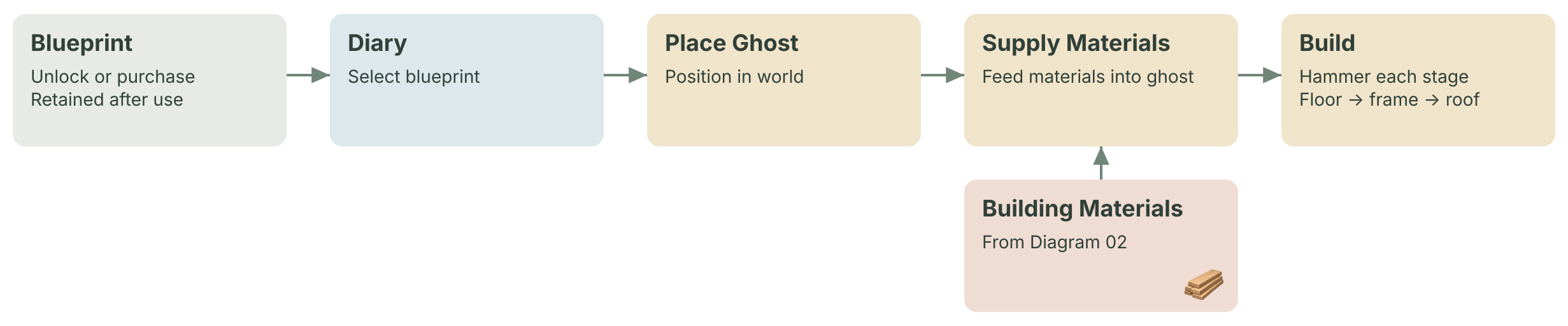
These diagrams trace the game’s agricultural production and building material systems, from crop processing and recipe crafting to resource acquisition, recycling, and blueprint-based construction.
Farm Products
Building Materials
Blueprint & Construction
Farming Systems
I designed and documented how seasons and crop care affect the harvest, how refrigeration preserves produce, and how players can turn organic waste into fertilizer.
The farming year
Each season brings a different set of crops into its prime. We drew on real growing seasons and adjusted the crop calendar to give players meaningful choices throughout the game year.
 Spring
 Lettuce
 Carrot
 Onion
FRUIT IN SEASON
 Lemon
 Summer
 Tomato
 Cucumber
 Wheat
FRUIT IN SEASON
 Grape
 Fall
 Potato
 Corn
 Bean
FRUIT IN SEASON
 Apple
 Winter
Cabbage
 Spinach
 Sugar beet
FRUIT IN SEASON
 Olive
Field crops are grouped by their best sowing season. Fruit is grouped by peak yield. The Diary calendar gives players an in-game reference for seasonal crops.
Seasonal trade-offs · Tomato case study
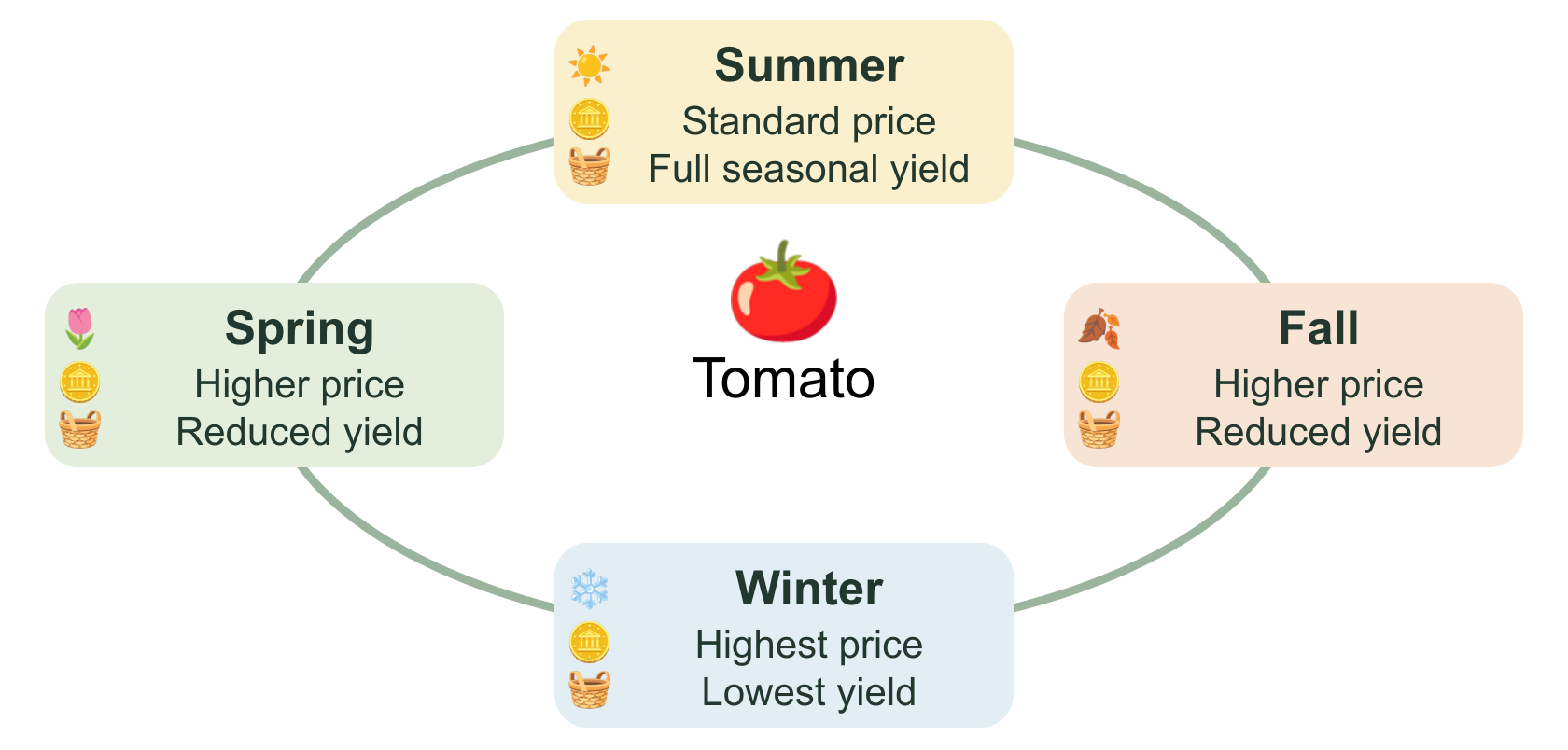
Tomatoes can be sown in any season. Summer sowing gives the largest harvest under the same growing conditions. Market prices follow a separate clock. What players pay or receive per tomato depends on the season when they trade.
Crop care & fruit yield
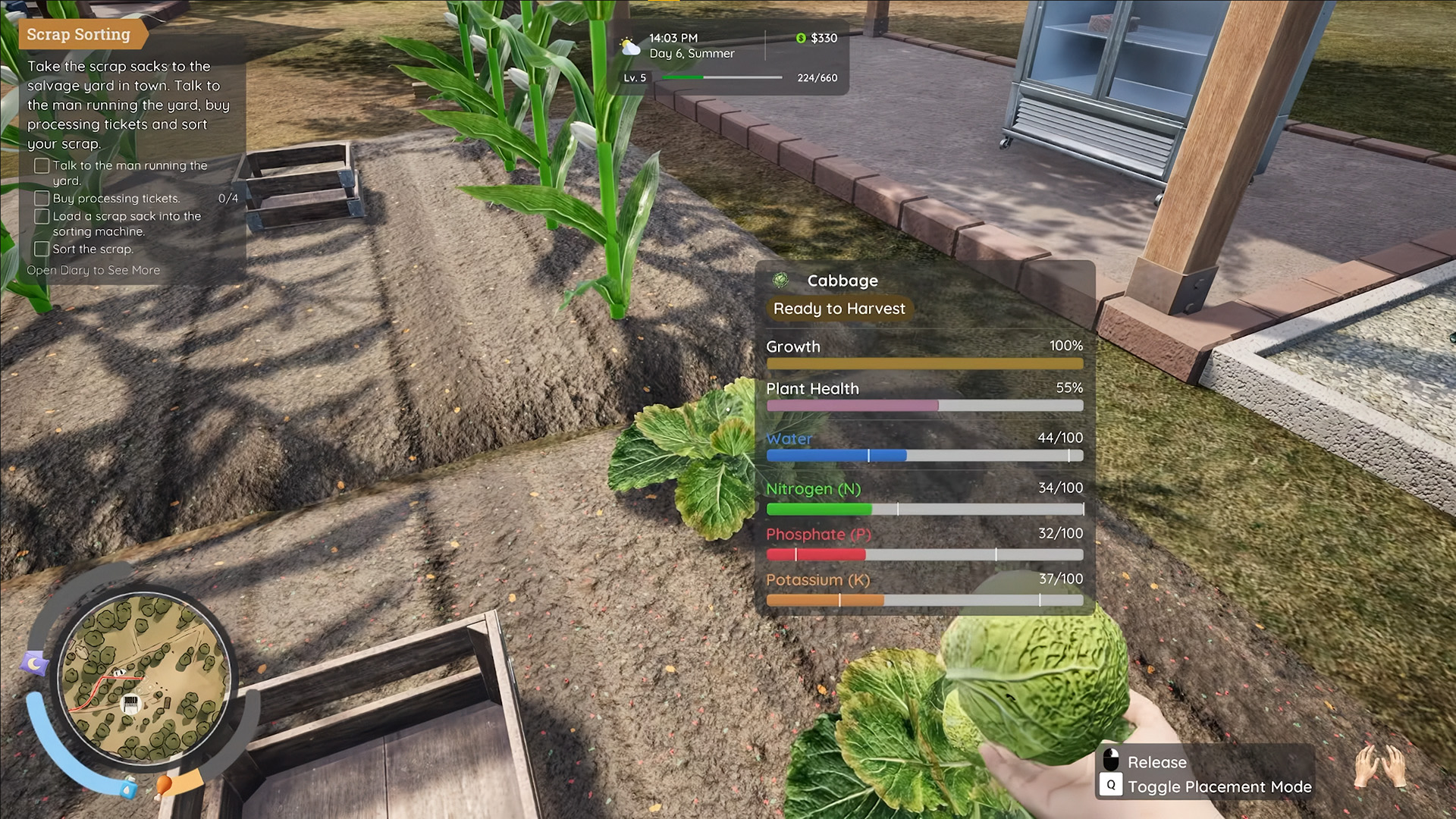
Water, nitrogen, phosphorus and potassium each have a target range. Players monitor the available readings and adjust watering and fertilizer to keep each level within range for as much of the growing cycle as possible. Sustained care supports both yield and quality.
🍅 Tomato
Water
Nitrogen
Phosphorus
Potassium
🥬 Lettuce
Water
Nitrogen
Phosphorus
Potassium
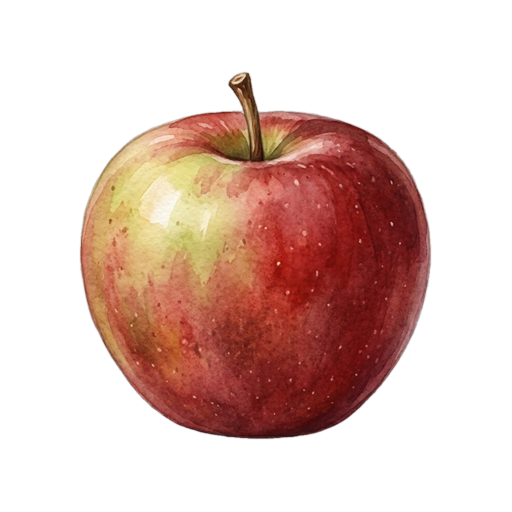 Apple
Water
Nitrogen
Phosphorus
Potassium
Dark bands mark each crop’s preferred range on a shared scale.
Apple orchard · Timing a harvest
Spring planting gives an apple tree time to mature before fall. Two factors shape the size of each new batch of fruit.
Growth stage
Sapling
No fruit

Young tree
Smaller crop
Medium tree
Higher yield
Mature tree
Full potential
Season when fruit appears
Spring
Lowest yield
Summer / winter
Reduced yield
Fall
Peak yield
Harvest cycles & land reuse
Clearing a spent crop determines when the land can be planted again and which materials the player recovers.
Field plot
Harvest once → plant dries out → clear with a hoe → collect all debris in a bucket → let the plot rest → sow again.
Orchard
Plant a sapling → harvest repeatedly across roughly three seasons → tree withers and decays → fell with an axe. Its growth stage determines the logs and plant debris recovered.
Vineyard
Build a trellis → plant a vine → harvest repeatedly across roughly three seasons → clear the spent vine → replant along the same trellis. Winter planting aligns mature grape production with summer.
Circular economy on the farm
A spent tree feeds two production systems. Its logs supply construction, while its debris joins field waste and spoiled produce in the compost cycle. The resulting fertilizer supports the next crop.
 Organic waste
Plant debris from fields and trees
+ spoiled produce
↓
Compost → fertilizer → crop care
 Timber
Logs from felled orchard trees
↓
Table Saw Station → planks → construction
Spoilage & cold storage
Produce and prepared foods have different shelf lives. Jarred recipes keep indefinitely. Perishable items pass through three conditions after harvest or preparation.
Fresh
Item-specific shelf life

Stale
Much lower quality, still usable in recipes
Spoiled
Unusable in recipes, suitable for compost
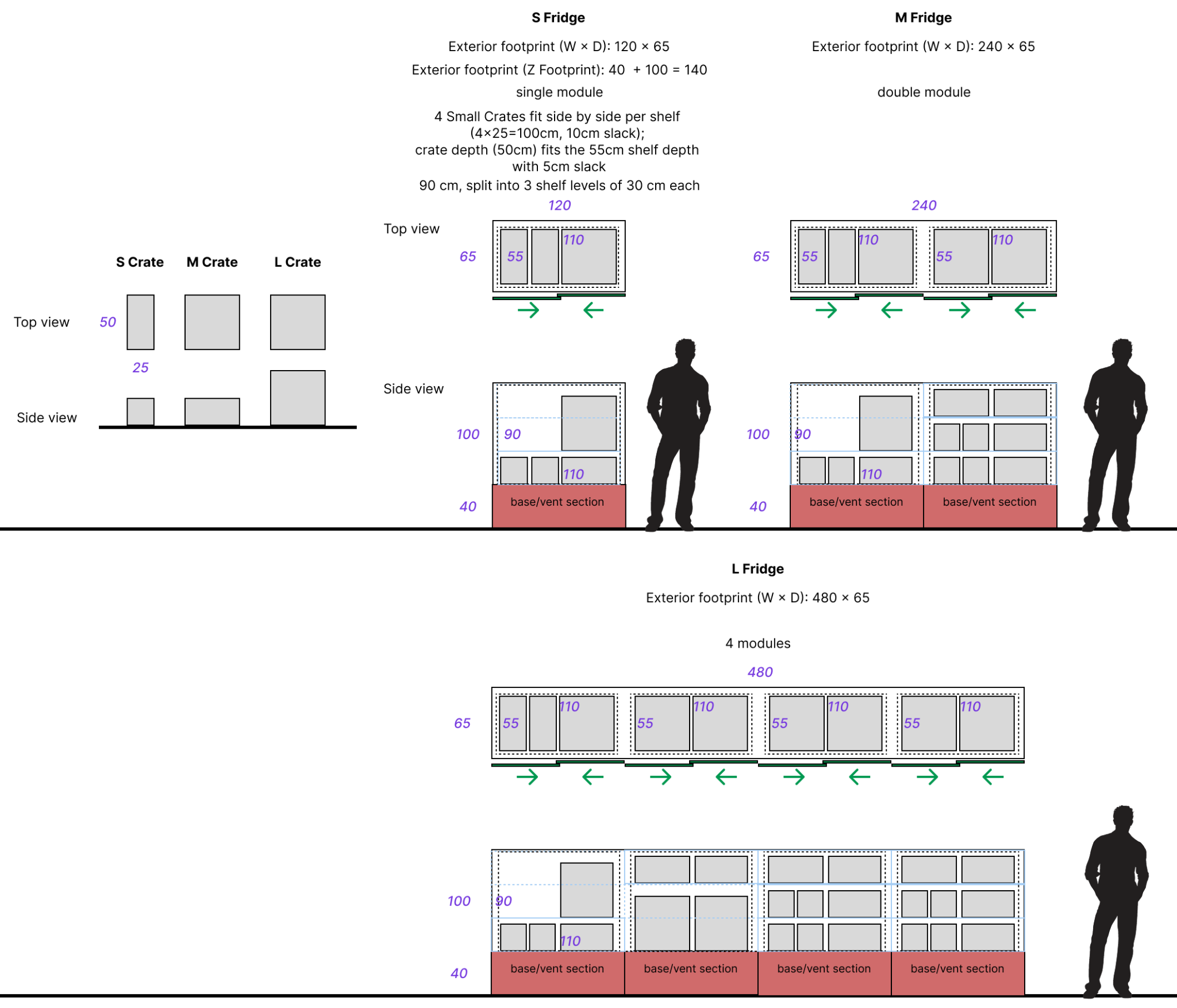
Players build fridges from blueprints in three sizes to fit their crate storage needs. Cold storage pauses spoilage at the current condition. The timer resumes when an item is removed.
Refrigeration: From Design Brief to In-Game Implementation
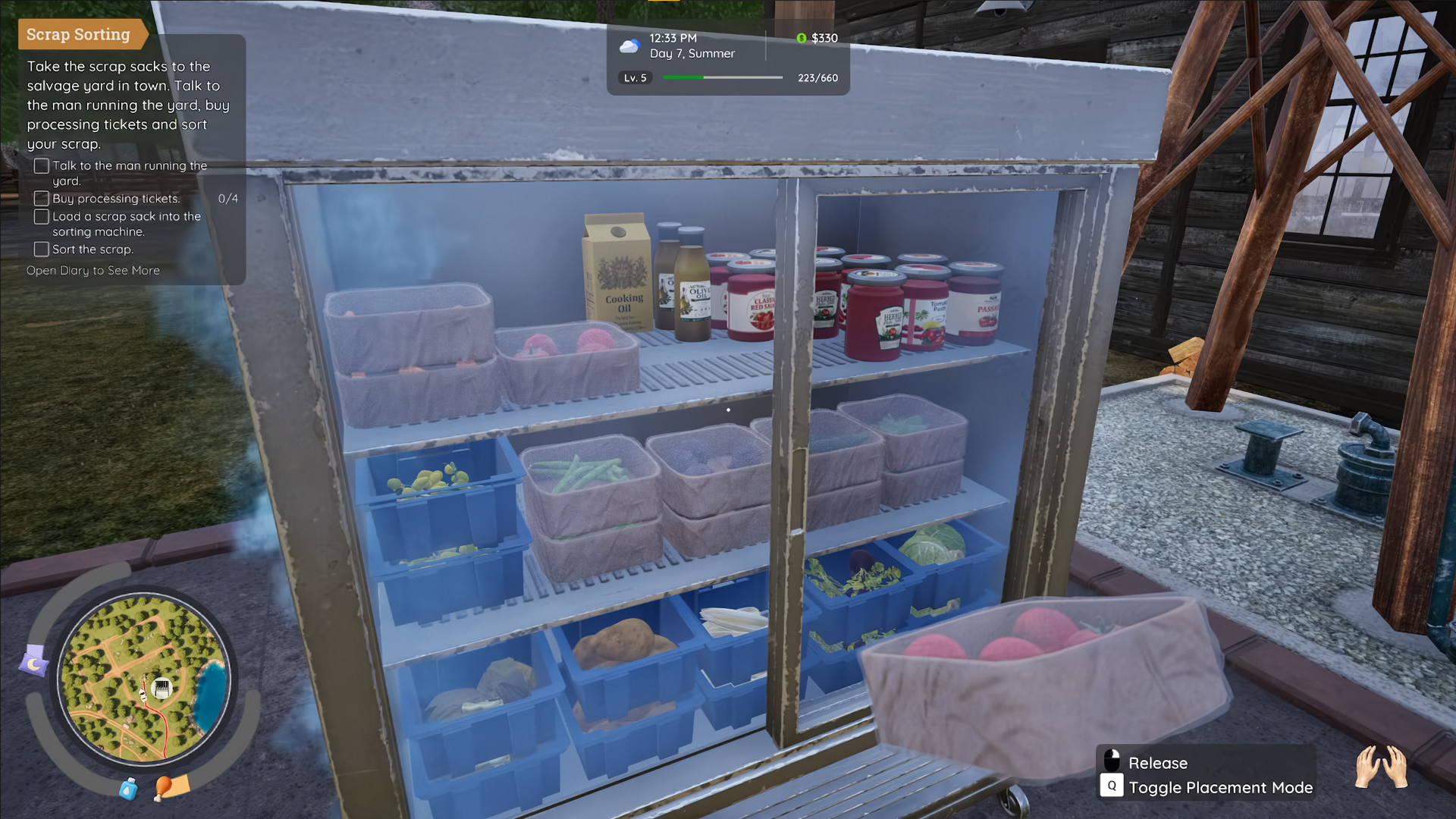
The refrigerator design brief explores cabinet dimensions and produce-crate storage across three sizes.
The in-game refrigerator provides dedicated storage for perishable produce, connecting the spoilage system to the player’s production and inventory planning.
Production Stations: From Ingredients to Hands-on Crafting
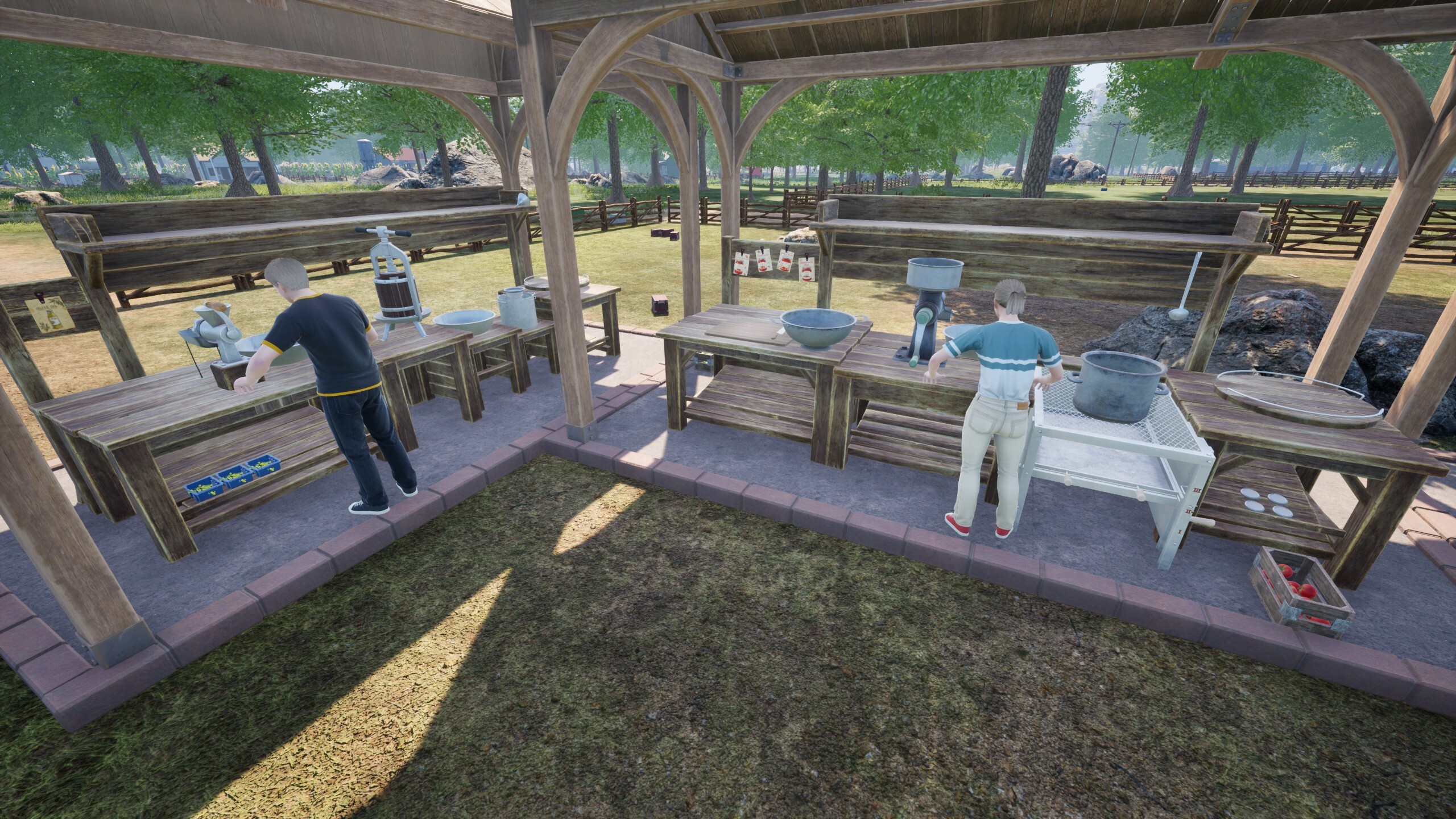
Production stations turn harvested crops into increasingly complex products and form a backbone of progression. I designed and documented their recipe chains, zone layouts, interaction flows and mini-game rules. Players build stations from blueprints inside the Shed, expanding what their farm can produce.
From harvest to complex recipes
A recipe defines the inputs, processing steps and output for a station. Crafted products can be sold or become ingredients in more advanced recipes.
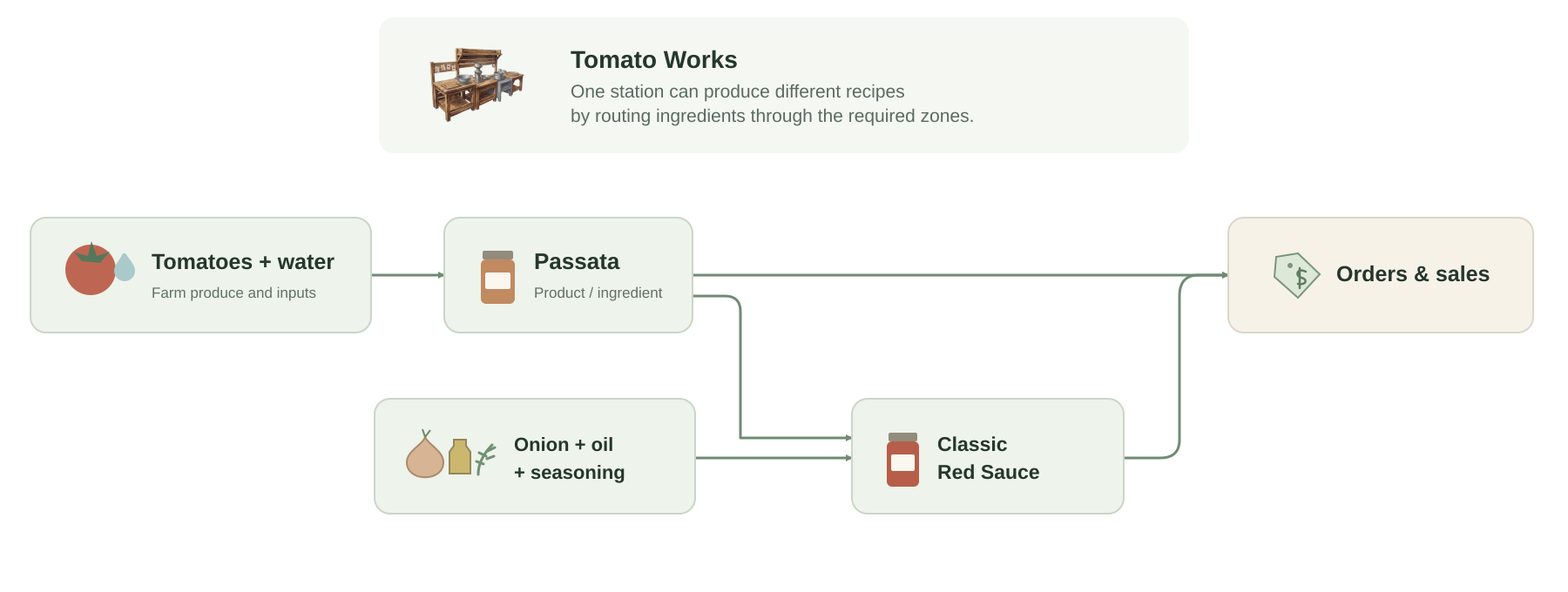
One station, multiple recipe paths
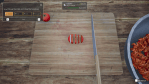
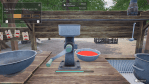
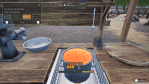
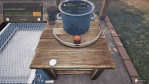
The modular layout pairs storage with a sequence of working zones. Tomato Works combines preparation, milling, cooking and packaging. Each recipe activates the zones it needs.
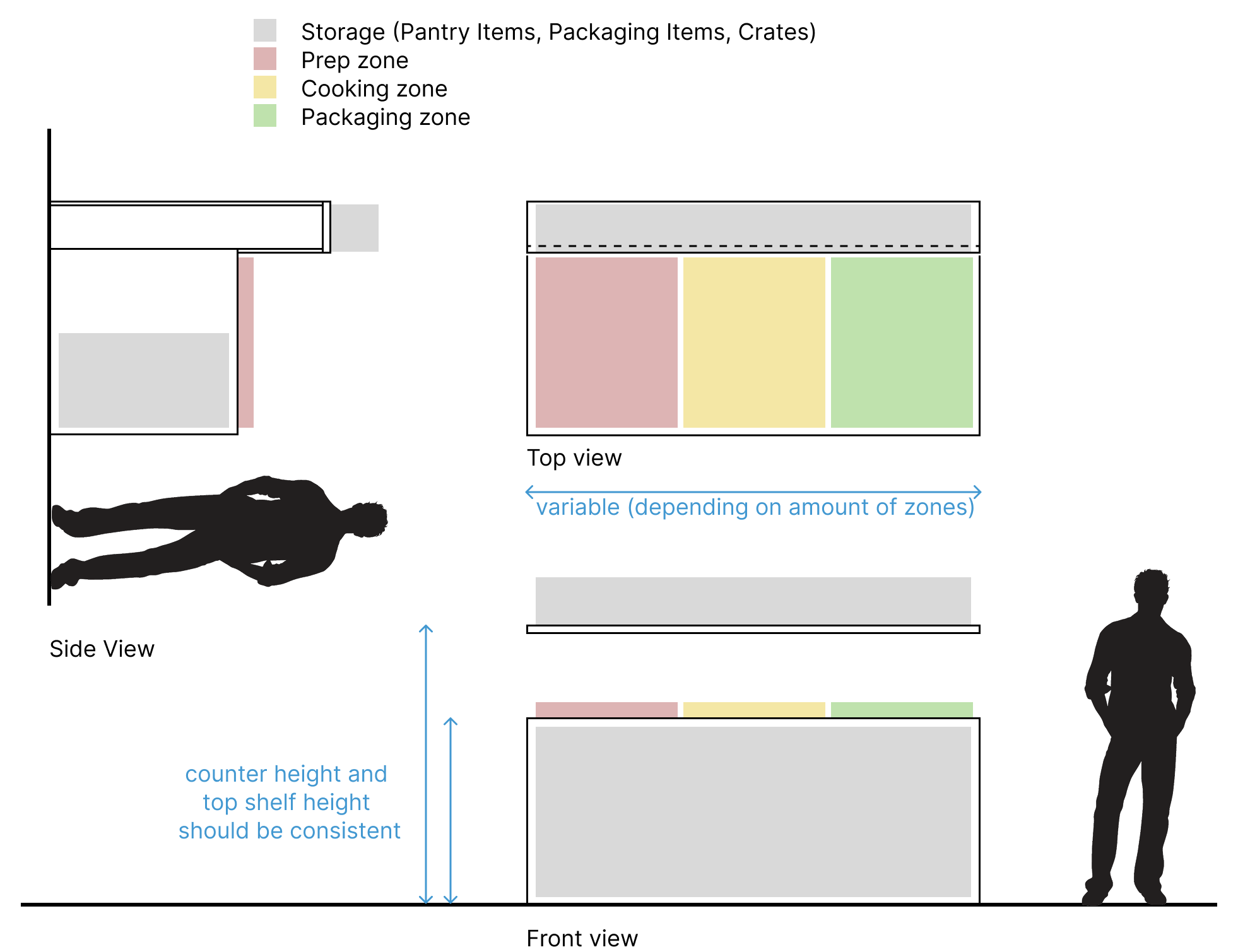
Storage · ingredients, pantry items and packaging
Passata

Prep
Chop tomatoes

Mill
Turn the hand crank

Cooking
Measure, heat and stir

Packaging
Fill and close jars
Passata follows all four zones.
Classic Red Sauce
Prep
Peel and chop onion
Mill
Skipped for this recipe
Cooking
Measure, heat and stir
Packaging
Fill and close jars
Classic Red Sauce uses jarred Passata. Prepare onion, skip milling, then cook and package.
Entering a station locks character movement and switches to a focused camera. Players move between zone views to the left and right. Mini-games bring the camera closer to the active task, while ingredients progress from left to right.
The zone diagram summarizes the documented Tomato Works design. Packaging uses click-to-transfer interactions.
Batch Size, Pacing & Efficiency
Batch production introduces a trade-off between processing time and output efficiency. Preparation time increases with the number of items, while cooking is designed to scale nonlinearly, making larger batches more efficient per unit.
I explored a configurable cooking-time model using recipe-specific tiers, batch-size scaling and timed stirring interactions. The aim was to balance production efficiency with hands-on player engagement, while keeping the parameters adjustable during playtesting.
The example below illustrates the proposed tuning for Passata. These values represent pre-playtest design specifications rather than validated gameplay results.
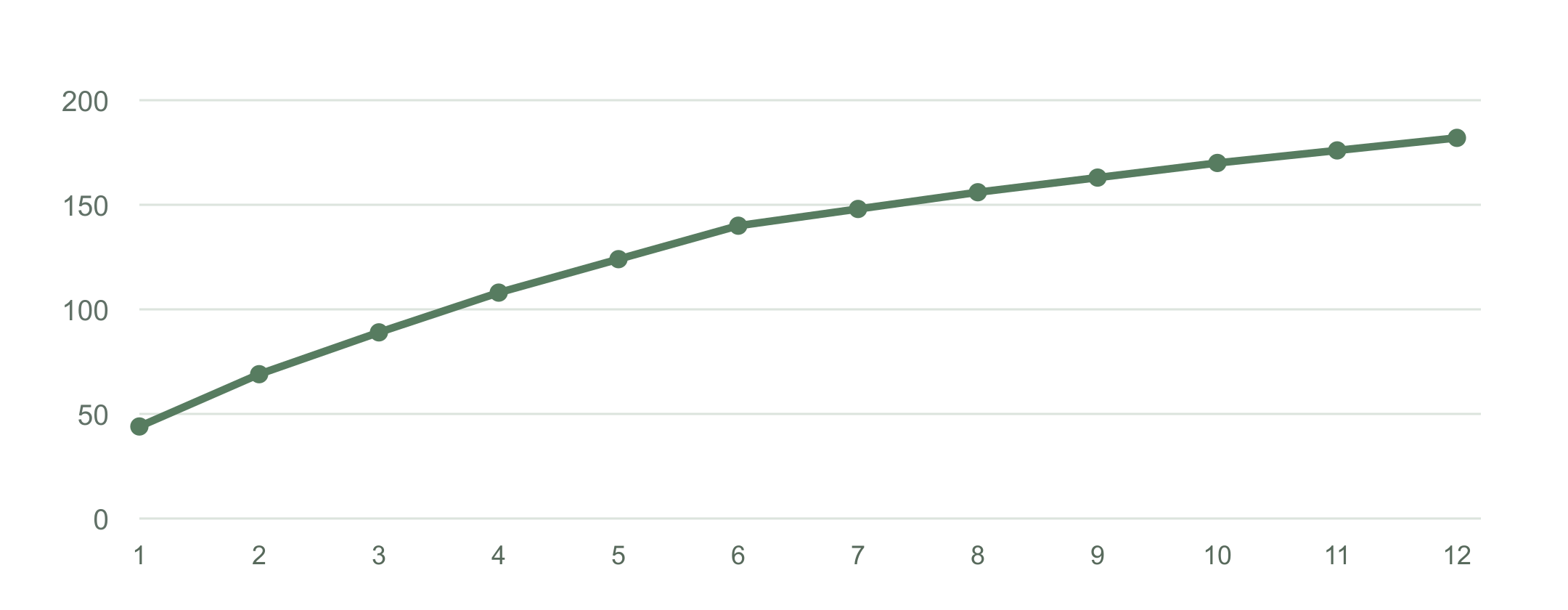
Passata: Cooking Time by Batch Size
Provisional design model · Cooking zone only
Pre-playtest design specification
Cooking time (seconds)
Batch size
Batch 1
44 s
44 s / item
Batch 6
140 s
23.3 s / item
Batch 12
182 s
15.2 s / item
Design reference values · Cooking zone only · Prep time is separate
Ingredient quality + relevant process performance → final product quality
Quality carries into recipes that use the output. Mistakes can extend a task or lower quality, while output quantity follows the selected batch.
Recipe Setup: From Wireframe to Implementation
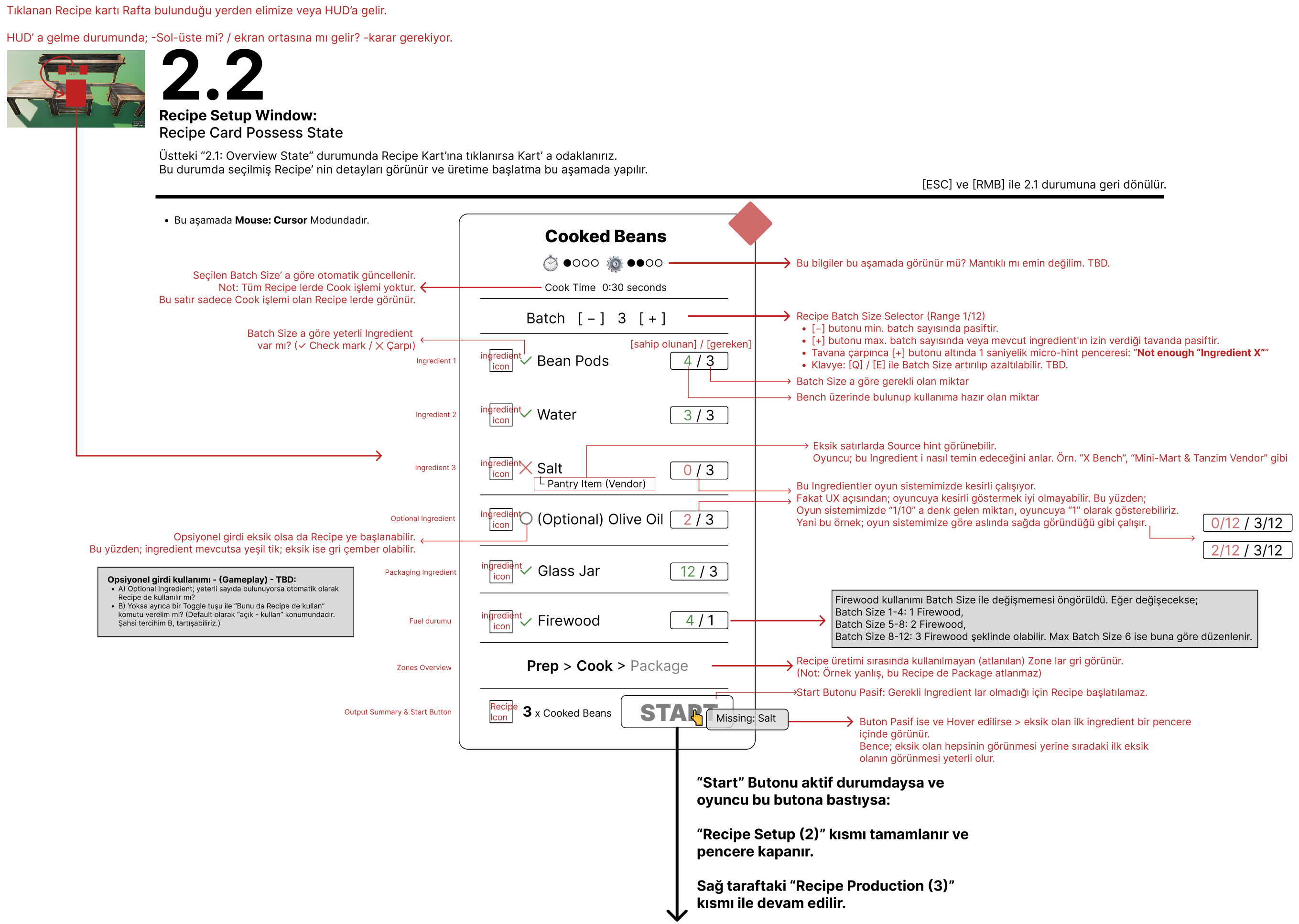
Production follows Approach, Recipe Setup, Recipe Production and Recipe Complete. The setup interface lets players choose a recipe and batch, check ingredient and fuel availability, and review requirements before starting.
Design documentation
I created the annotated Figma wireframe to define batch controls, ingredient validation, optional inputs and missing-resource feedback for the in-house team.
In-game implementation
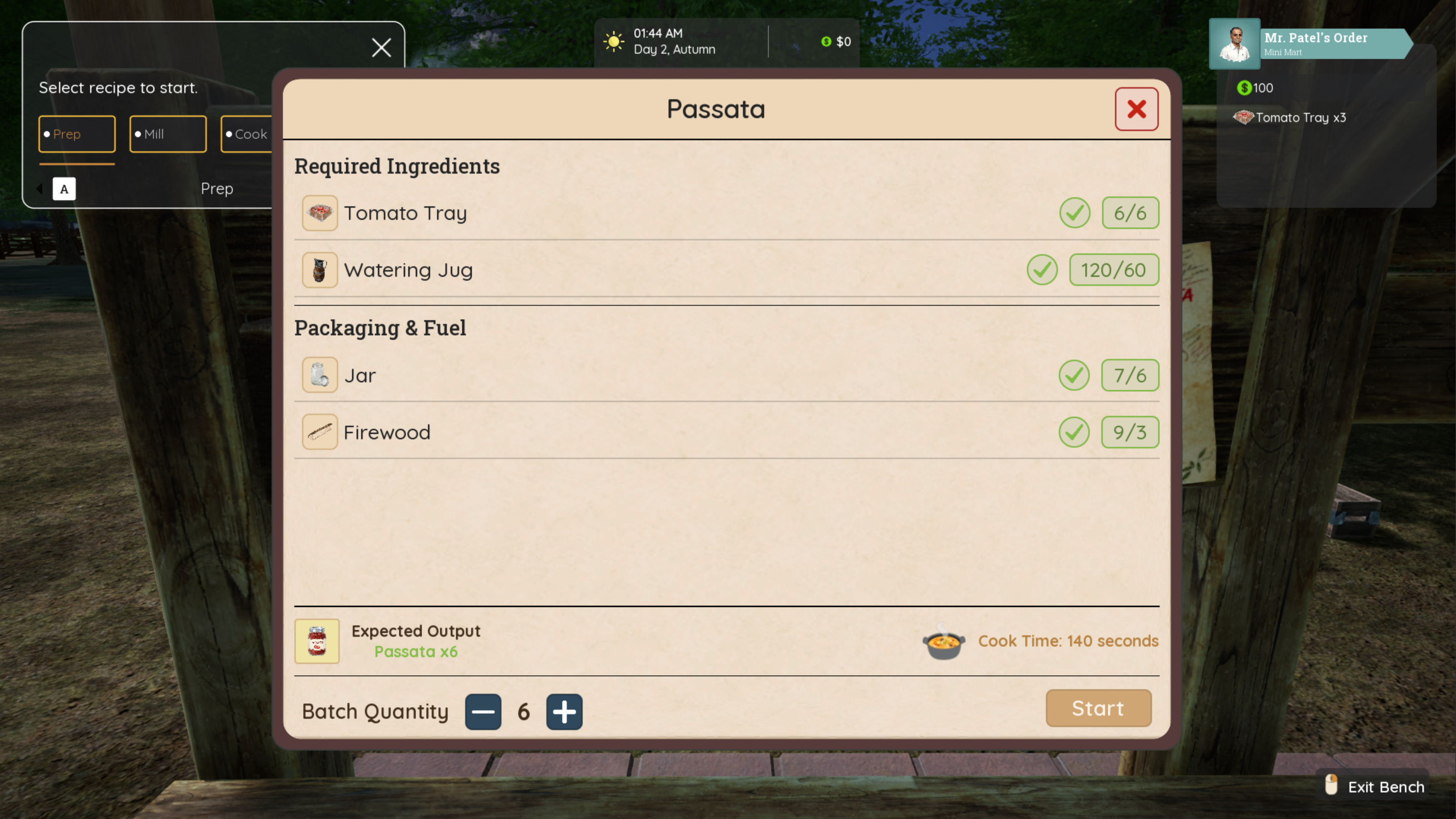
The implemented interface presents ingredients, packaging, fuel, output, cooking time and batch controls. The screenshot uses Passata and the wireframe uses Cooked Beans, illustrating the same interaction stage across different recipes. Visual UI design and gameplay integration were completed by other team members.
Economy & Orders: Turning Production into Progress
My economy design connects farm production to orders, sales and reinvestment. Different channels give players reasons to plan a delivery, sell surplus or turn to another source of income.
Sales channels: Different outlets, different reasons to sell
The economy combines one-time story deliveries with repeatable orders and open sales channels. Each serves a different purpose within the farm’s growth.

Main Quest Deliveries
Scripted deliveries introduce characters, production systems and destinations. Main quest orders have no delivery deadline.
One-time milestones that guide the next production goal.
Order Board
Time-limited orders reward planned production and delivery. Their requirements respond to progression and the farm’s available production options.
Higher returns come with a delivery commitment.
Wholesale
Players sell goods in the market’s backroom and buy packed farm produce at the counter. The full range of packed farm produce is available year-round to cover production shortages.
Flexible sales; lower returns than dedicated orders.
Logging Camp
Once available, Logging Camp provides a fallback income source. Logs can be gathered and sold, or processed into wooden goods, without buying the seeds or saplings needed to restart farming.
A way to recover cash when farming inputs are out of reach.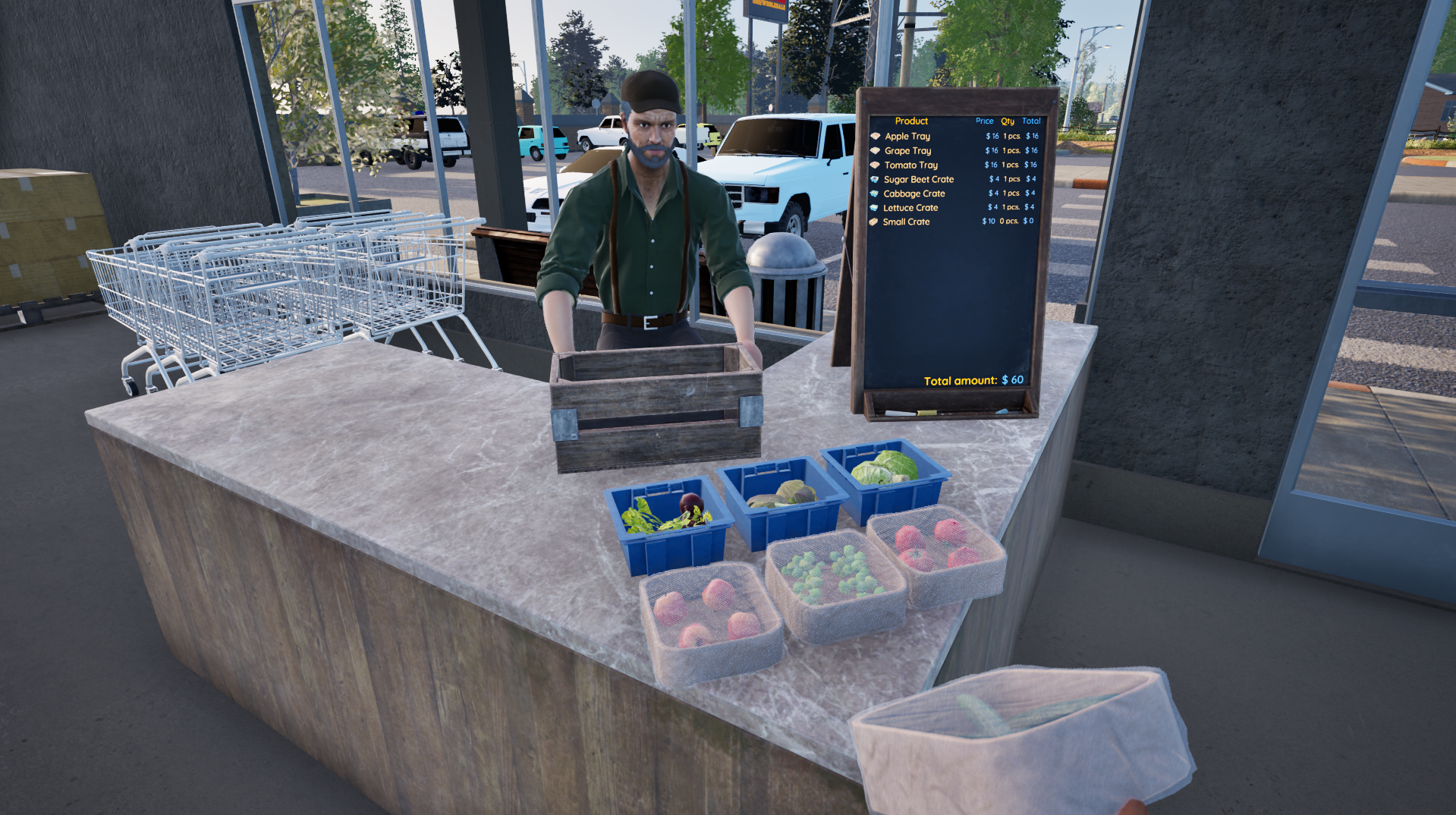
Wholesale can supply missing farm produce. Crafted foods cannot be purchased; players must produce them.
Buying packed produce and delivering it unchanged to another order is priced to be unprofitable.


Contextual demand: An order pool shaped by local businesses
Each Order NPC has a defined pool of products they can request. These preferences connect production variety to the businesses in town, rather than treating every customer as an interchangeable buyer.



Illustrative selection of NPCs and products. The full order pool includes additional characters and items.
Order generation & delivery: From a possible request to a delivery goal
The generator checks known NPCs, installed Stations and access to ingredients before offering a request. The Early Access design also connects this filtering to Ranch Level. Players saving for a newly unlocked Station should not receive orders they cannot yet produce.
Read the product pool for a known Order NPC.
Filter against installed Stations and accessible ingredients.
Ranch Level integration · EASet the goods, quantity, destination, deadline and reward.
Decide which offered request to accept and organize production around it.
Prepare the goods and bring the complete order to its destination before the deadline.
Check the required goods, quantity and deadline. A valid delivery completes the order and grants its reward. The Early Access design also connects completed orders to Ranch Level.
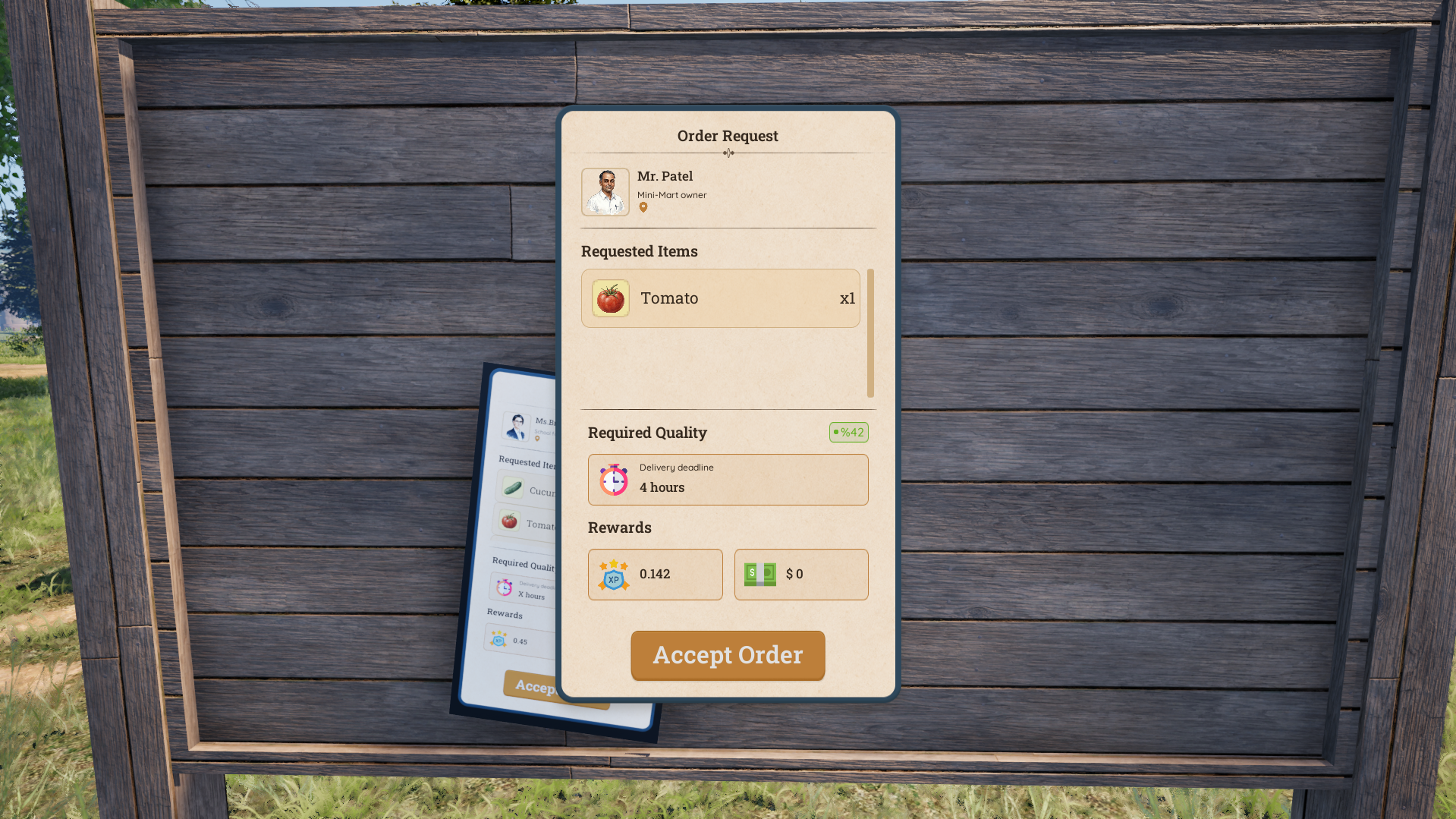
View the accepted order at its delivery location
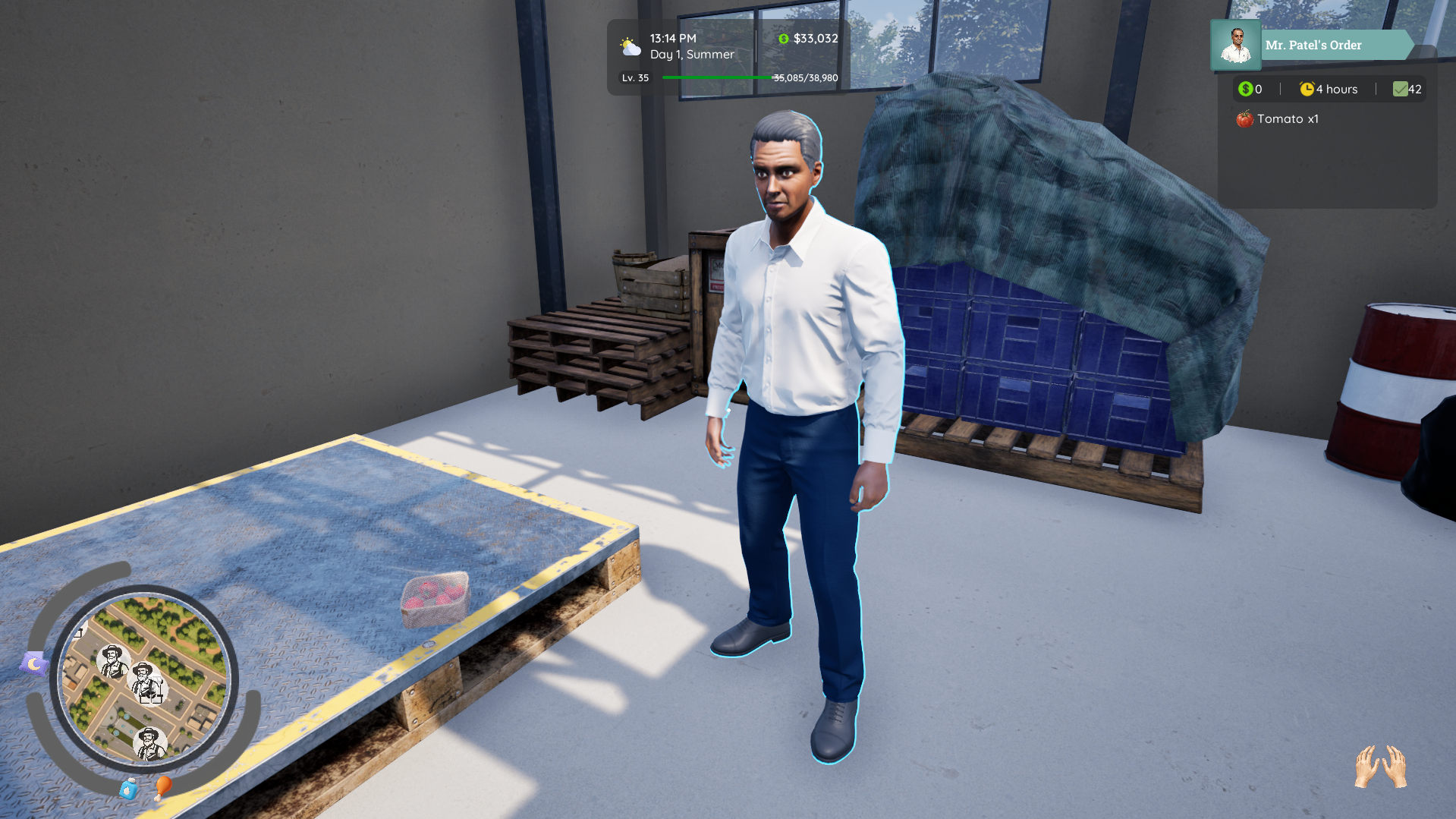
Gameplay captures document the interface and delivery context. Visible reward and timing values reflect the captured build, not final balancing.
The requester and the destination can differ
The routing design adds delivery variety as destinations are discovered. The examples omit provisional weights and unlock timings.
Economic progression: Unlocking the next Station is only one requirement
For Early Access, I designed a Ranch Level system to govern access to Stations and recipes, while cash continues to pay for equipment and expansion. Main quest deliveries and repeatable Order Board requests are intended to contribute to Ranch Level, linking new production opportunities to work beyond the farm.

Unlock access to the next Station and recipes.
Afford the Station and the resources needed to establish it.
 Expand what the farm can produce
Establish the Station, make new products and take on a wider range of orders.
Two kinds of progression: Player Level develops individual skills and tools; Ranch Level opens the farm’s production options.
The next production decision: Balancing today’s needs with tomorrow’s capacity
Players weigh more than the sale price. Freshness, delivery deadlines and the cost of running the farm all influence what to produce, keep or sell.
Protect the harvest
Store produce, process it for another use or sell surplus before it loses value.

Meet a commitment
Plan growing, processing and transport around an accepted order’s deadline.

Keep cash available
Balance supplies, fuel and scheduled loan repayments against investment in more production capacity.
Development context: Core sales channels are available in the public demo. Ranch Level progression is in development for Early Access.
Quest Flow & Progression
I designed and documented the quest flow, refining it through team feedback. Early tasks teach unfamiliar actions step by step, supported by Hint Windows at first use. As players gain experience, quests give them more responsibility for planning supplies, production and delivery.
Rita’s order in the public demo
Rita’s Passata order connects a production goal to the people and businesses that help the player complete it.
Meet Rita
Mr. Patel sends the player to Rita. She requests jarred Passata and points them to Ray for equipment and Donna for jars.
Prepare supplies
Buy the Tomato Works blueprint from Ray and four jars from Donna.
Build & produce
Build the Station, load ingredients, jars and firewood, and make four jars of Passata. A first-use Hint Window explains setup and production.
Deliver & reconnect
Deliver the Passata to Rita. Her closing dialogue sends the player back to Fred, linking the next task to the town’s relationships.
A public-demo quest sequence, summarized from the quest, subquest, dialogue and hint documentation.
From guided tasks to independent planning
The Order Board builds on these skills. Players choose a request, organize the required supplies and production, and complete the delivery within its deadline. For Early Access, Ranch Level progression connects Main Quest deliveries with repeatable orders.
World & Spatial Design
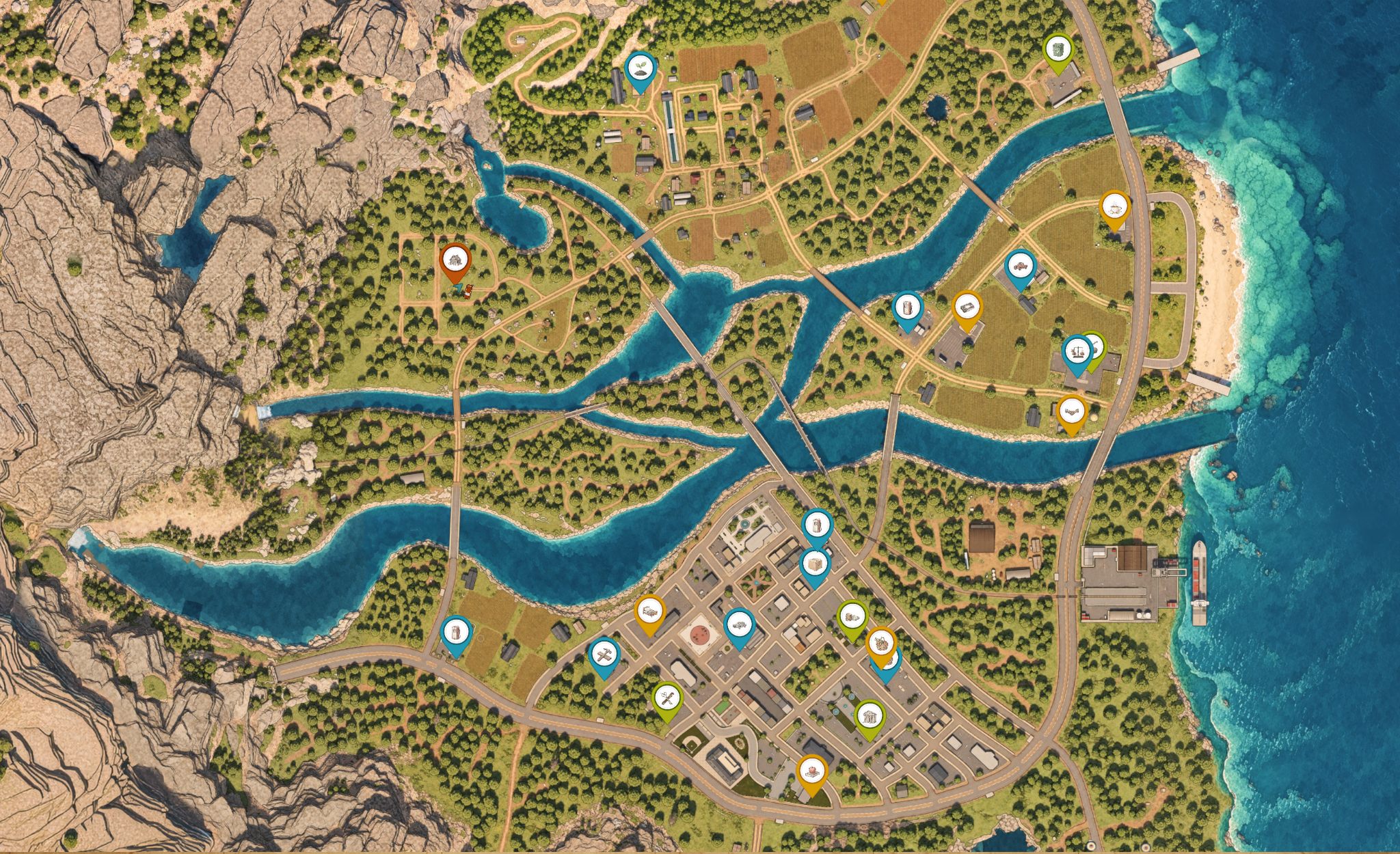
I translated gameplay requirements into location briefs and interaction layouts, working with the environment and development teams. The following examples connect production constraints, physical trading and NPC encounters.
The town and its businesses
Deliveries and supply runs connect the ranch to local businesses. Each destination needs a clear place to arrive, handle goods and meet its NPC.
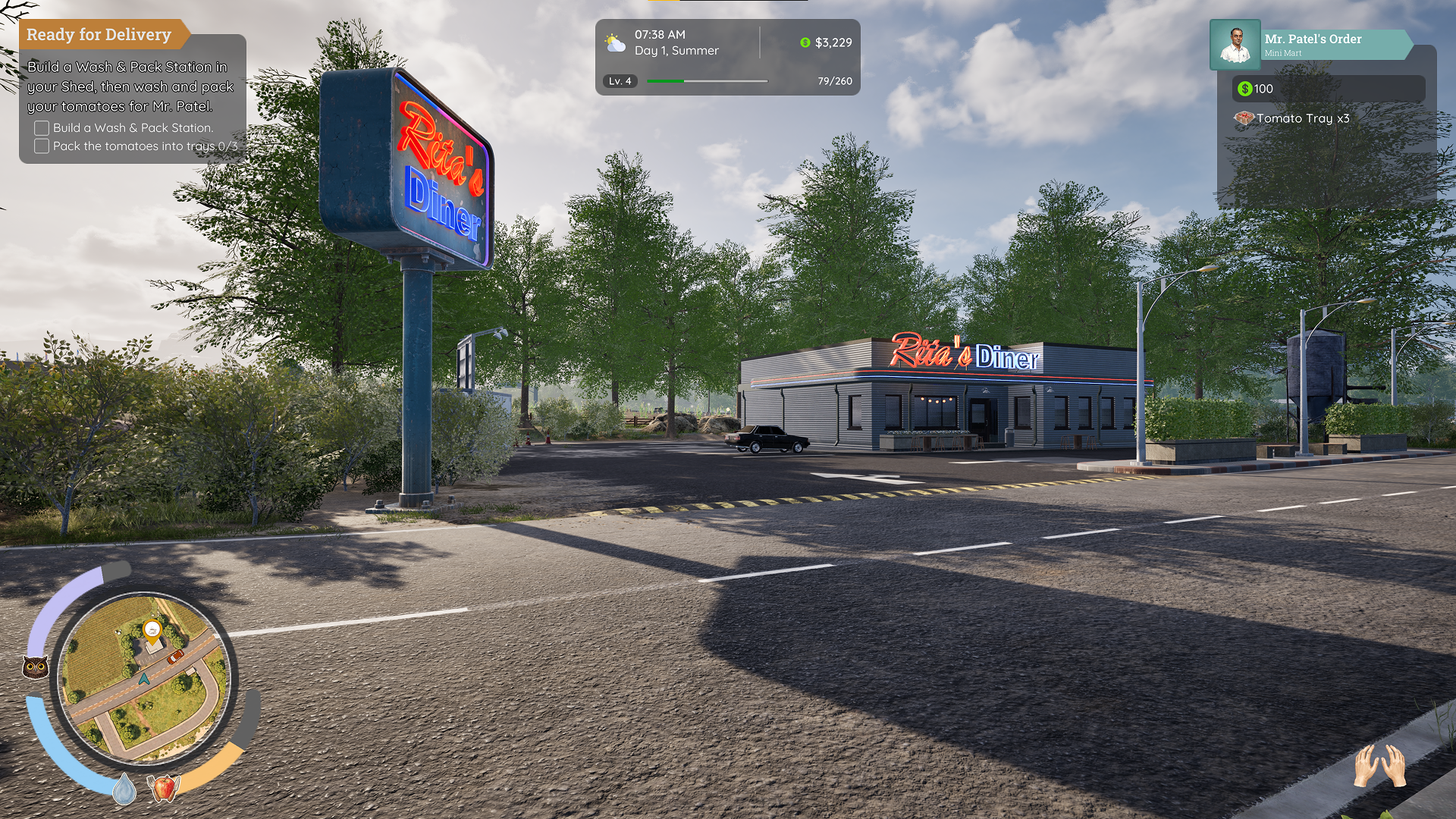
Delivering to Rita’s Diner
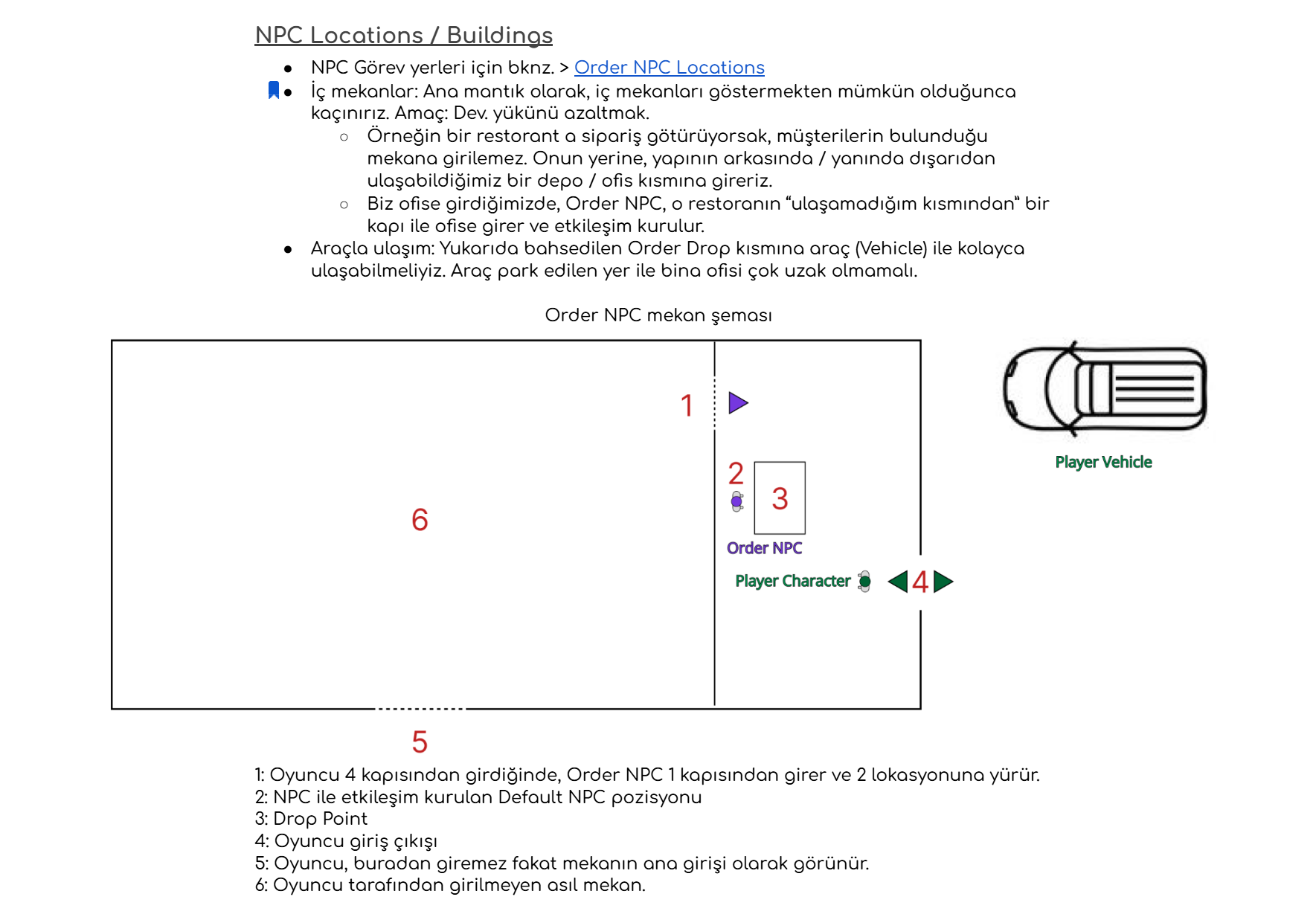
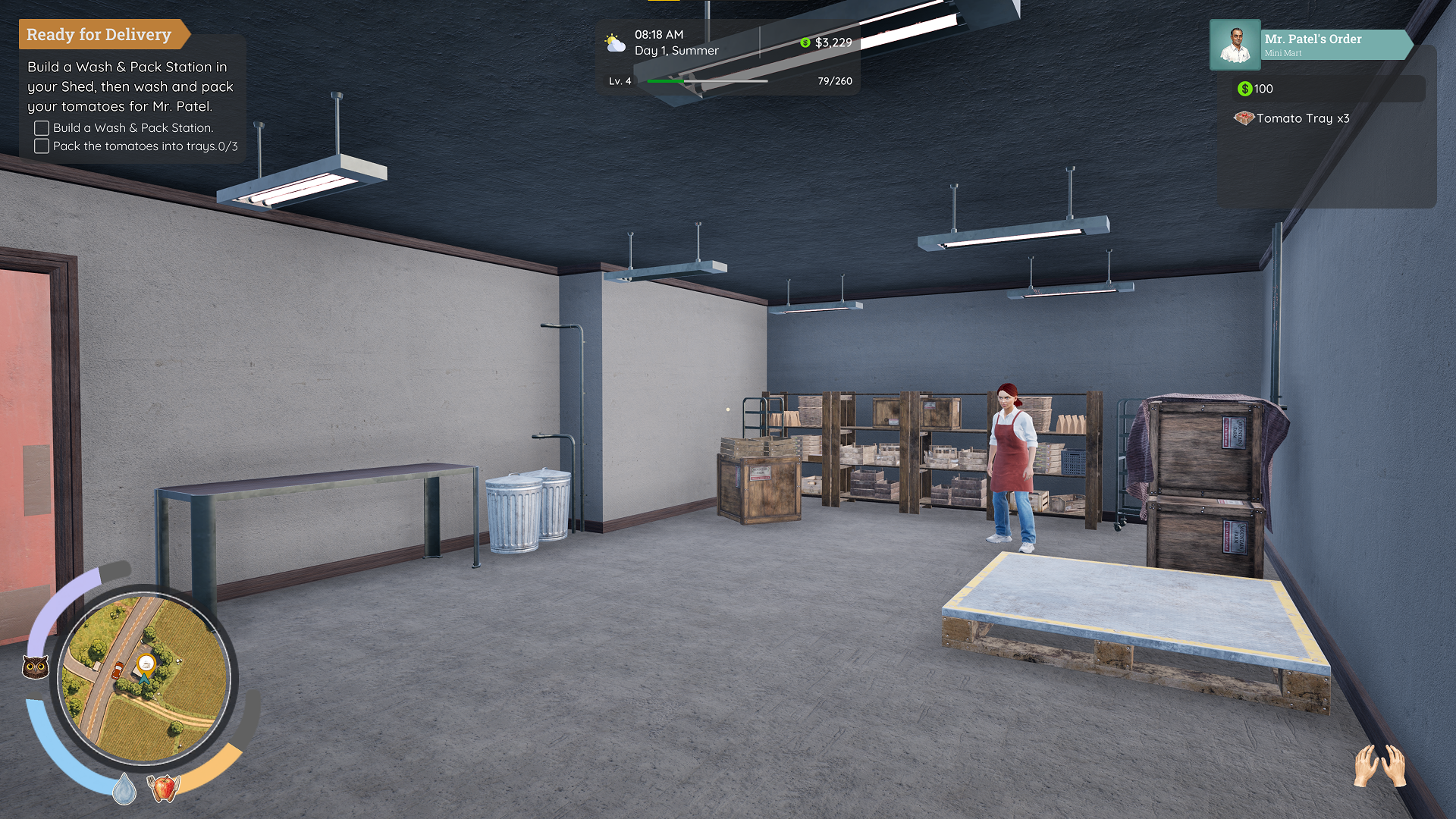
The team had limited time to produce the diner’s customer interior. I designed an externally accessible backroom for deliveries, linking vehicle access, a drop point and an NPC doorway to the main business.
Vehicle access
Keep unloading close to the player’s entrance.
NPC doorway
Connect the encounter to the diner beyond the delivery room.
Drop point
Give the delivery a dedicated surface beside the NPC.
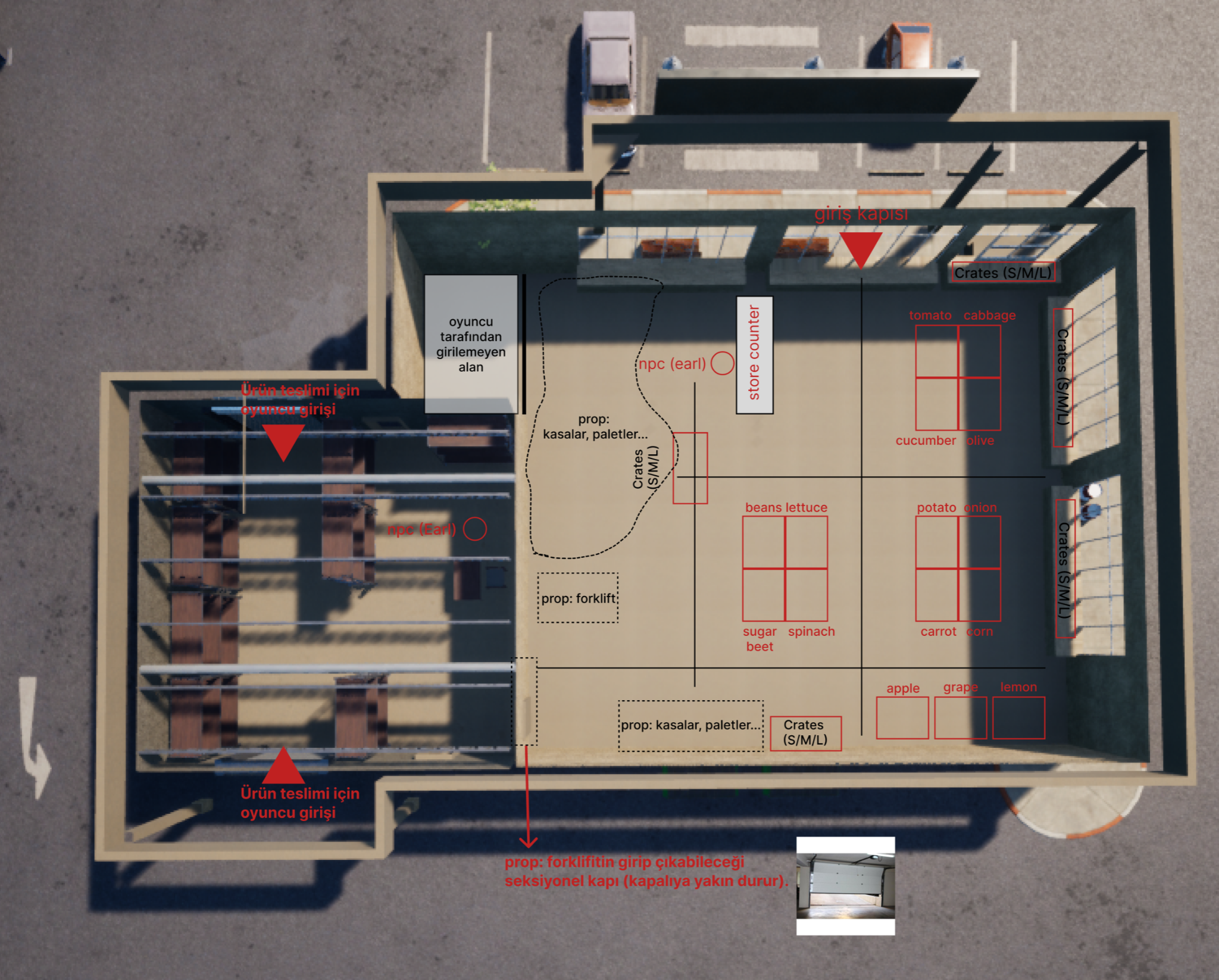
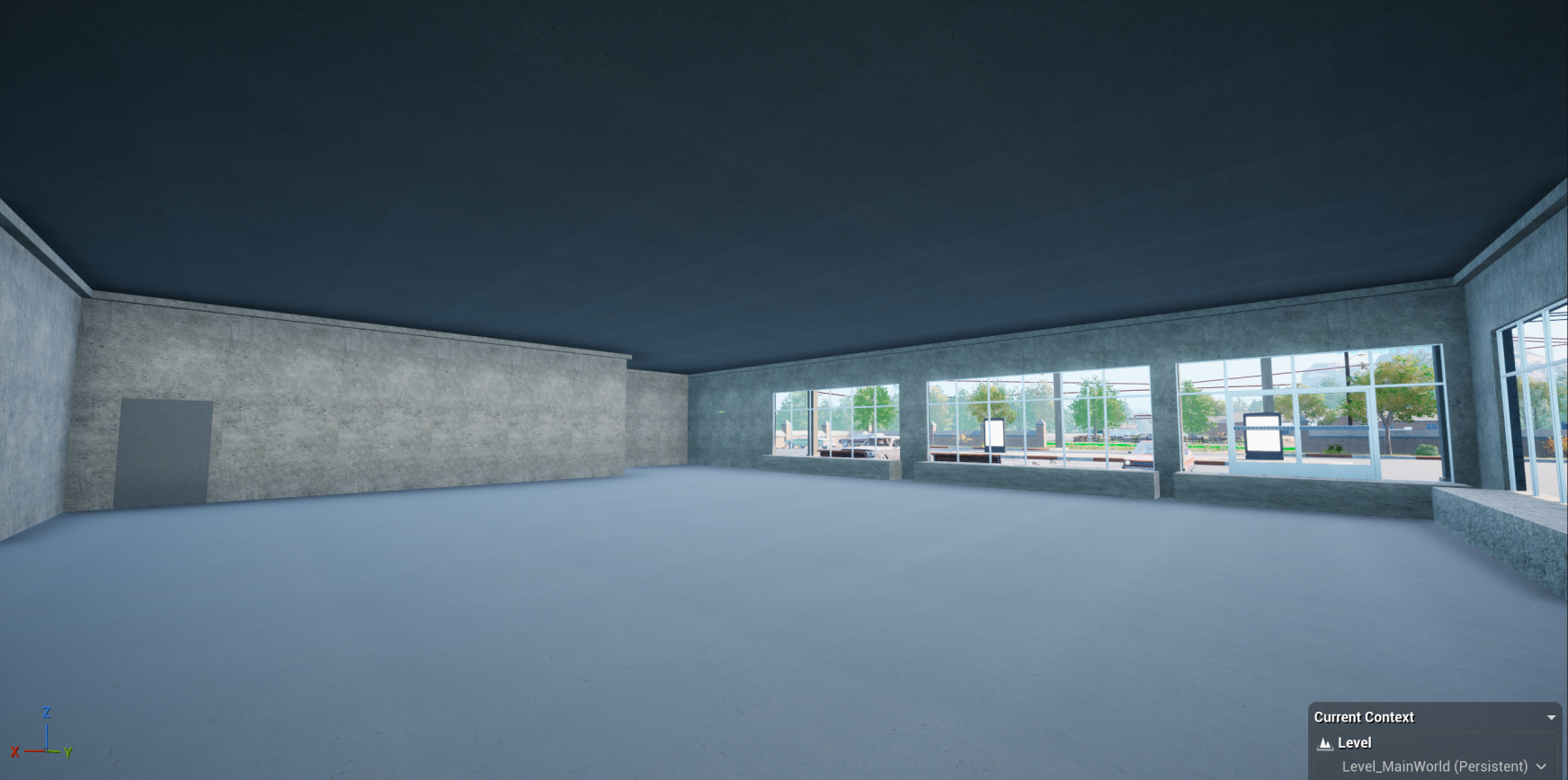
Designing the Wholesale Market
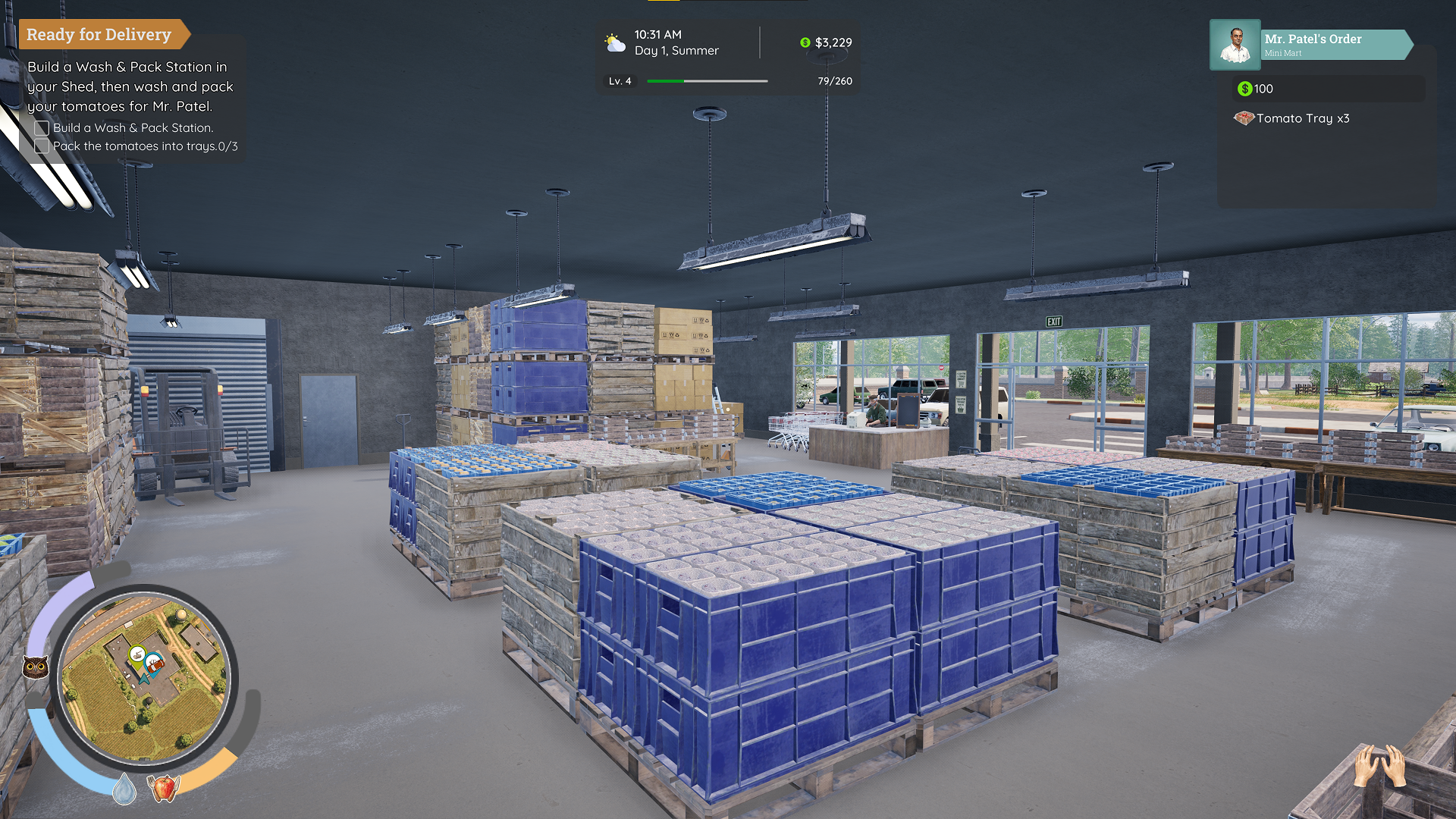
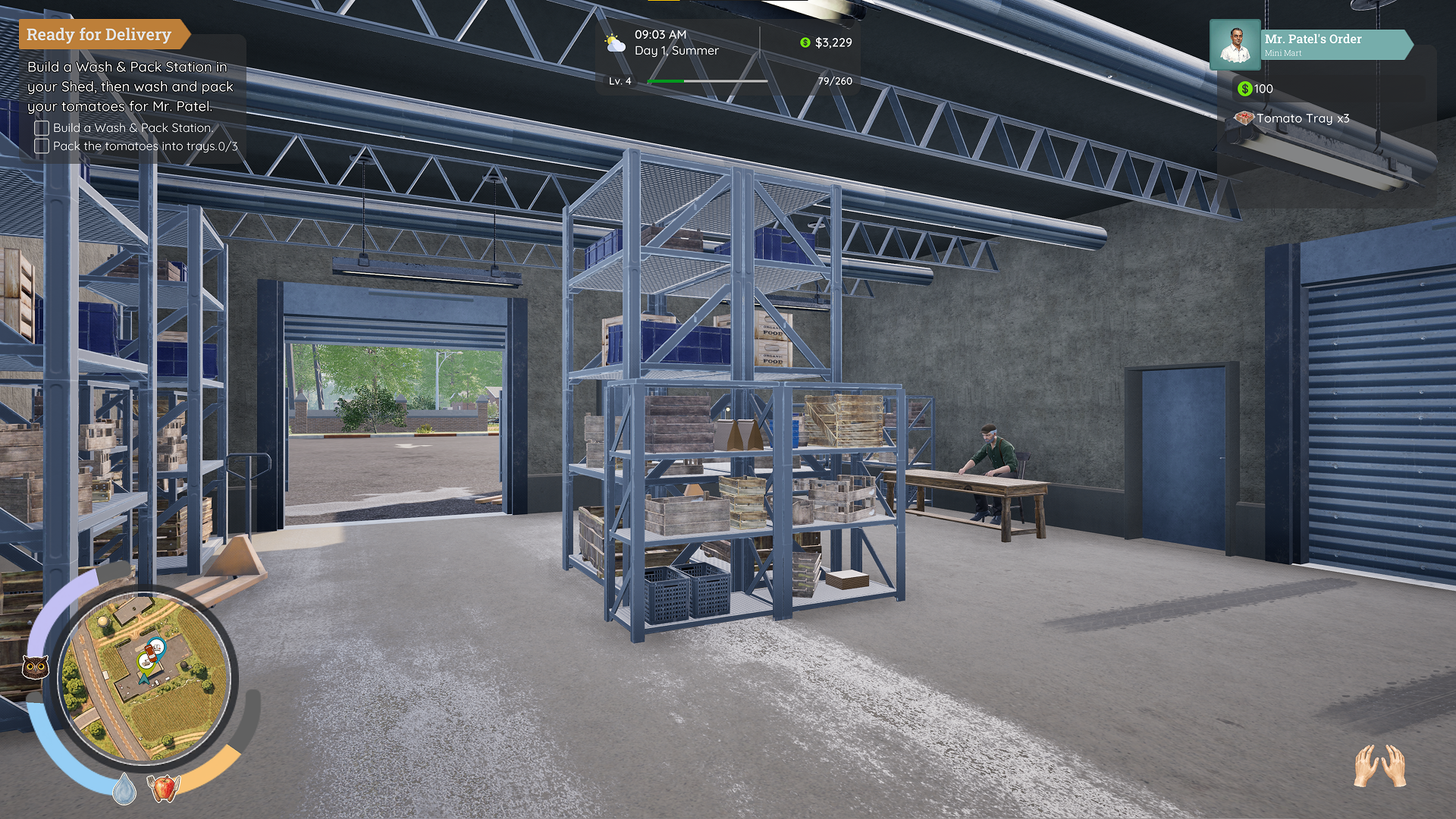
Working within the existing building shell, I designed the market layout, specifying the assortment, quantities and placement of goods, the counter position and a separate intake area for sales.
Two uses of one business
Wholesale keeps both areas accessible. Players buy packed produce in the store and sell goods in the backroom. Mini-Mart uses the same arrangement for pantry purchases and Mr. Patel’s order deliveries.
Spatial briefs and Wholesale layout design by me. Environment art and gameplay implementation by the team.
NPCs, Dialogue & Narrative
I developed NPC identities, dialogue and bark scripts around each character’s work, history and relationship to the player. Trigger notes and delivery directions connect the writing to encounters throughout the town.
People behind the businesses
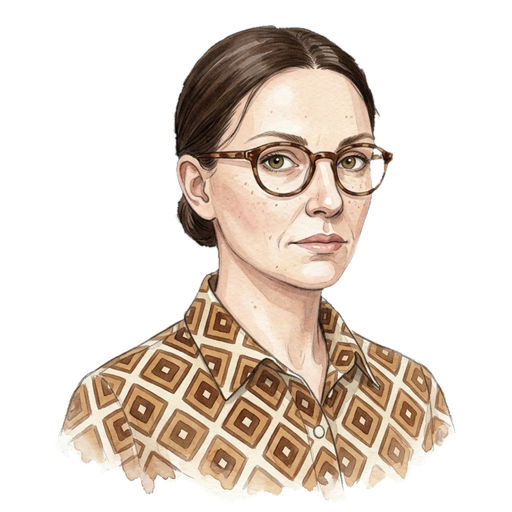
Donna
Pack’n’Print
Vendor · Packaging supplies.
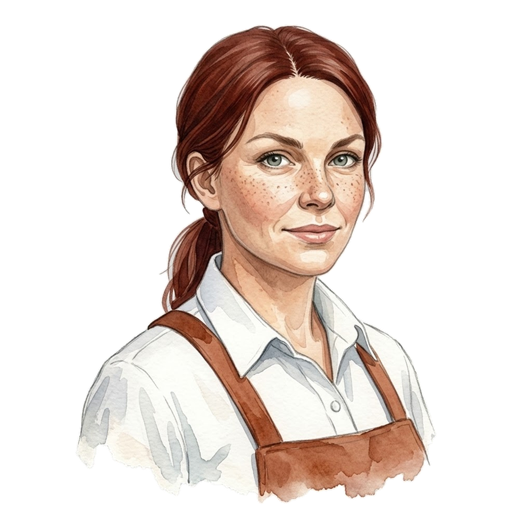
Rita
Rita’s Diner
Order NPC · Diner owner and head cook.
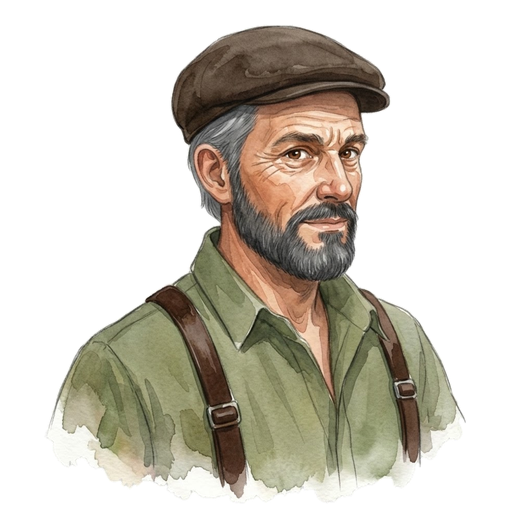
Earl
Wholesale
Vendor and intake · Sells produce and buys goods.
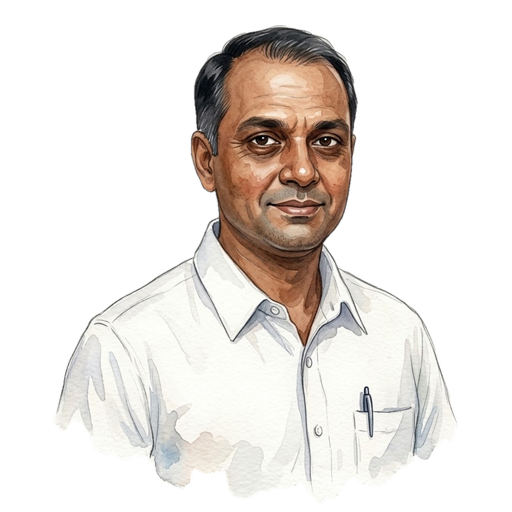
Mr. Patel
Mini-Mart
Vendor and Order NPC · Pantry supplies and deliveries.
Selected characters and gameplay roles. The wider cast includes service and ambient NPCs.
Meeting Earl
In the public demo, the player first visits Wholesale to buy olives. Earl recognises the family connection before explaining what the market sells and where to bring goods for sale.
First visit · Dialogue script
“Knew your daddy forty years, near enough. Man could grow a tomato out of a parking lot. Miss him.”
Earl · Slow, warm, wistful
The father’s reputation emerges through someone who knew him. Practical instructions then connect that relationship to the store and backroom shown above.
Writing for repeat visits
I wrote bark pools for recurring greetings and other interactions, using character-specific phrasing and delivery directions.
Rita’s reference to the fryer suggests the working kitchen beyond her delivery room. Earl’s unhurried greeting gives a different character to the same recurring encounter.
Selected script excerpts. Character writing, dialogue and bark scripts, and VO directions by me.
Diary UI: Information Architecture & Player Guidance
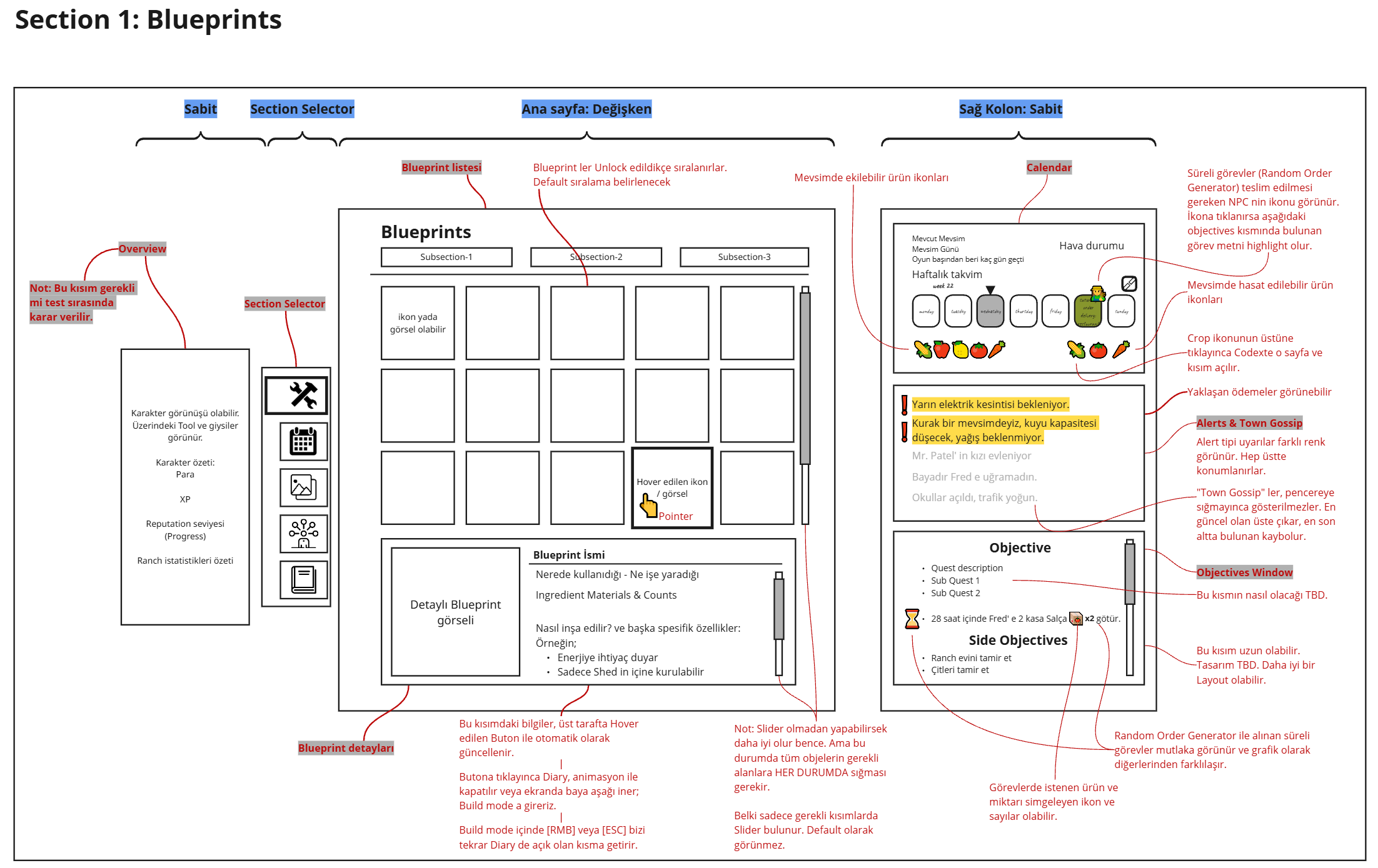
I developed annotated wireframes for the Diary, organizing access to construction blueprints, seasonal information, progression and objectives. The example below traces its information architecture from internal design documentation to the in-game interface.
The Diary was conceived as a central interface for accessing interconnected gameplay systems, including construction blueprints, character progression, seasonal information, and objectives.
I developed annotated wireframes exploring section navigation, information hierarchy, and the separation between changing content and persistent information panels.
Design Documentation
The Blueprints wireframe proposes a modular interface with section navigation, blueprint browsing, and contextual details, alongside a persistent information area for the calendar, seasonal conditions, alerts, and objectives.
The document also includes interaction notes, alternative approaches, and unresolved design questions intended to support communication with the development team.
In-Game Implementation
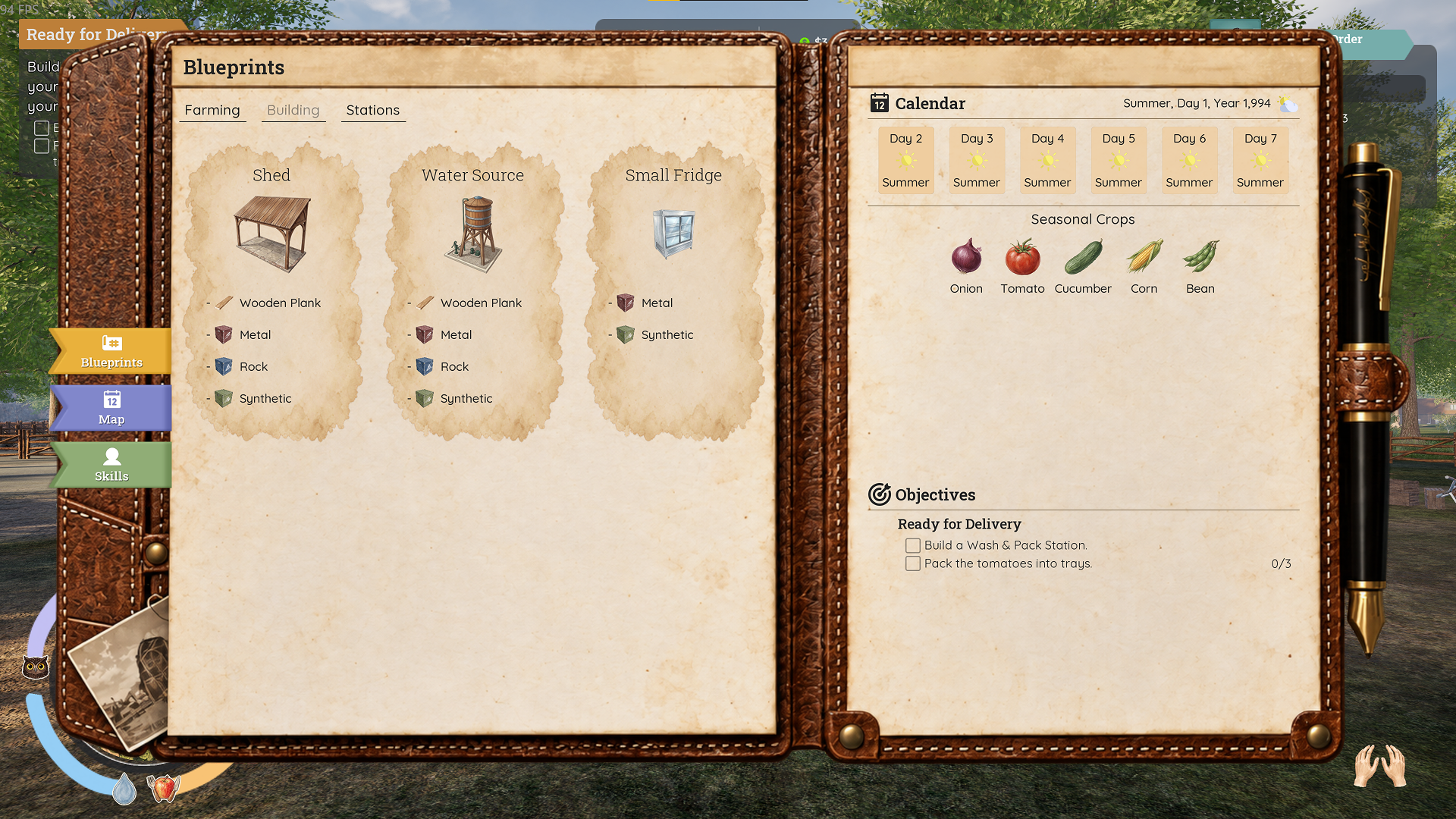
The implemented Diary uses a two-page book interface. The left page presents categorized blueprints and their material requirements, while the right page displays the calendar, seasonal crops, and current objectives.
Although the final interface differs from the original wireframe, several underlying organizational principles remain, particularly the separation between section-specific content and persistent player information.